
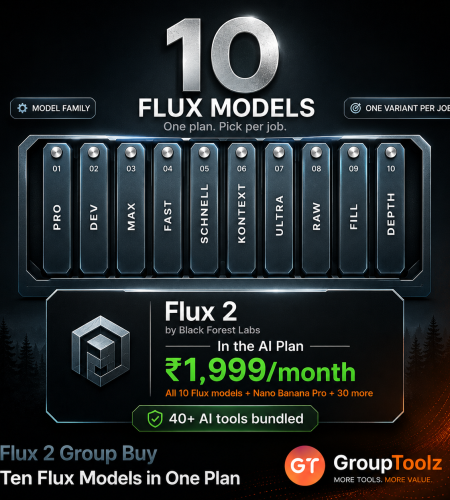
Flux 2 leads the 2026 photorealism benchmarks and beats Midjourney on realism. There’s just one snag: Black Forest Labs sells it as a developer API priced per megapixel, so a normal creator either writes code or pays a middleman marked-up rates per image. A Flux 2 group buy skips both. You get ten Flux models in a proper interface inside the GroupToolz AI Plan for ₹1,999, next to 40+ other tools. Here’s what Flux 2 does, how to use it, and what it really costs elsewhere.
By GroupToolz Team Updated: July 2026
| 10 Flux models included | 4 Reference images | 2K Resolution option | ₹1,999 In the AI Plan |
Let me start with who built this, because it explains a lot. Black Forest Labs is a German company founded in 2024 by Robin Rombach, Andreas Blattmann and Patrick Esser, three researchers who left Stability AI. They’re the people behind Stable Diffusion. When that team ships something, it’s worth paying attention.
Flux 2 arrived on 25 November 2025, pairing a Mistral-3 vision-language model with a rectified flow transformer. It tops 2026 photorealism benchmarks, handles reference images to hold a character or product consistent across a batch, and edits at up to four megapixels. What it doesn’t have is a normal consumer subscription, which is precisely the problem a Flux 2 group buy solves. Let me explain how it works, what it costs elsewhere, and how to use it.
What Is Flux 2?
Flux 2 is a family of AI image generation and editing models from Black Forest Labs. You write a prompt, pick a model from the family, and it produces an image. Where it pulls ahead is realism and control, it renders skin, materials, lighting and reflections convincingly, follows detailed prompts closely, and even hits specific hex colour codes when you name them.
The family has tiers rather than one model. Klein is the compact, fast option. Pro is the everyday production model, Flex trades speed for finer control, and Max sits at the top for final work. Generation and editing live in the same family, so background replacement, object removal and pose control all come from one place. A Flux 2 group buy gives you the whole spread rather than making you choose.
What Flux 2 Is Best At
| Strength | What it means for you |
|---|---|
| Photorealism | Leads 2026 benchmarks, ahead of Midjourney on realistic output |
| Multi-reference consistency | Hold a character, product or brand look steady across a whole batch |
| Editing at 4 megapixels | Change objects, backgrounds or poses without losing detail |
| Colour accuracy | Name a hex code and it respects it, which brand work needs |
| Prompt adherence | Follows long, specific instructions rather than improvising |
| Scene control | Composition and structure behave predictably shot to shot |
| Multi-reference consistency is the feature that changes your week Most image models give you one-off pictures. Ask for the same character twice and you get two different people. Flux 2 fixes that by taking several reference images alongside your prompt and using them to hold identity, product appearance and style across every generation. Feed it a product photo, a style reference and a background direction, and you get coherent output that matches. Before this, keeping a brand look consistent meant fine-tuning a model on your own images, days of work and real technical skill. A Flux 2 group buy hands you that capability in one request, with no training at all. For anyone running a brand campaign, that alone is worth a Flux 2 group buy. |
The Ten Models You Get
This is where the GroupToolz version gets interesting. Rather than one Flux model, the interface hands you the whole family across both generations, with estimated times so you can trade speed against quality on the fly.
| Model | Speed | Best for |
|---|---|---|
| Flux.1 Fast | ~5s | Quick drafts and rapid idea testing |
| Flux.1 Realism | ~7s | Fast photorealistic shots |
| Flux.1 | ~9s | The reliable everyday Flux.1 model |
| Flux.2 Klein | ~26s | Compact Flux 2 quality, good default |
| Flux.1.1 | ~37s | Refined Flux.1 output |
| Flux.2 Max | ~53s | Top-tier Flux 2 quality for finals |
| Flux.2 Flex | ~54s | More control over how the image is built |
| Flux.1 Kontext Pro | ~65s | Context-aware editing work |
| Flux.1 Kontext Max | ~68s | The strongest Kontext editing tier |
| Flux.2 Pro | ~351s | Maximum quality when time doesn’t matter |
| Which model should you actually pick? A simple way to think about it. Exploring ideas and want answers now? Flux.1 Fast at around five seconds, or Flux.1 Realism at seven if the idea is photographic. Doing normal work? Flux.2 Klein at twenty-six seconds is a sensible default. Need a hero image for print? Flux.2 Max or Pro, and accept the wait. Editing rather than creating? The Kontext models are built for that. A Flux 2 group buy gives you every rung of that ladder. |
How to Use Flux 2, Step by Step
The interface walks you through it in three moves, with a settings panel for the finer controls. Here’s the whole flow.
1. Write your prompt
In the “Describe what you want to create” box, type what you want, and be specific. Flux 2 follows long prompts closely, so detail pays off. Something like “cute cartoon mascot character for a tech startup, friendly face, bright bold colours, vector style illustration” gives it the subject, the mood and the style all at once.
2. Choose your model
Open the model dropdown and pick from the ten. Each one shows its estimated time next to it, which is the quickest way to decide, short times for exploring, longer ones for final quality. If you’re not sure, Flux.2 Klein at around twenty-six seconds is a solid middle ground.
3. Set your aspect ratio
Pick the shape from the ratio dropdown. There are ten: 1:1 for square posts and logos, 16:9 for thumbnails and banners, 9:16 for reels and stories, plus 4:3, 3:4, 3:2, 2:3, 1:2, 2:1 and 4:5. Choose before generating so the composition is built for that shape rather than cropped into it later.
4. Open settings for resolution and references
Click the settings icon and you get two things. Resolution, where you switch between 1K and 2K, use 2K for anything going to print or a large screen. And reference images, where you can add up to four files of 5MB each. Those references are how Flux 2 holds your character, product or brand style consistent, so this is the panel worth learning.
5. Generate
Hit send and Flux 2 renders your image. Timing depends on the model you picked, from about five seconds on Flux.1 Fast to several minutes on Flux.2 Pro. Your result appears in the output view below your prompt.
| What the output view gives you Once an image lands, you get a full set of actions under it. Download saves the file, Copy grabs it quickly, Redo runs the same prompt again, Reuse loads that prompt and its settings back into the box so you can tweak a word and try again, and Delete clears it. Each result is tagged with the model and ratio that made it, so running one prompt across three models shows you at a glance which produced which. That turns a Flux 2 group buy into a comparison lab rather than a guessing game. |
What Flux 2 Costs Directly
Here’s where the case for a Flux 2 group buy gets strong, because Black Forest Labs doesn’t sell a consumer plan at all. It sells API access, priced per image, and the cost scales with resolution.
| Model | Direct API price | Via third parties |
|---|---|---|
| Flux.2 Klein | ~$0.014-0.015/image | Varies by provider |
| Flux.2 Pro | $0.03 generate, $0.045 edit | ~$0.055 to ~$0.073 |
| Flux.2 Flex | ~$0.06 | Up to ~$2.46 with an input image |
| Flux.2 Max | $0.07 first megapixel, $0.03 each extra | Marked up |
| Flux.2 Dev, self-hosted | $999/month commercial licence | Needs your own hardware |
| GroupToolz AI Plan | ₹1,999/month, ten models | Plus 40+ other AI tools |
| Three things that make buying Flux 2 direct awkward First, it’s built for developers. There’s no app to sign into, you get an API and you’re expected to write code against it. For a designer or seller, that’s a wall before you’ve made a single image. Second, pricing is per megapixel, so cost climbs with resolution, and Max charges for your reference images too. Third, the easy routes cost more. Third-party platforms wrap the API in something usable but mark it up, taking Pro from three cents to five or seven, and Flex has been listed as high as $2.46 an image with an input picture. Self-hosting Dev commercially needs a $999-a-month licence, roughly ₹85,000. A Flux 2 group buy removes every one of those obstacles. |
What Is a Flux 2 Group Buy?
A Flux 2 group buy is where access to Flux is shared through a provider, so you don’t wire up an API or pay per image in dollars. Through GroupToolz, a Flux 2 group buy gets you the models inside the AI Plan for ₹1,999 a month, paid in rupees, wrapped in a real interface, alongside 40-plus other AI tools.
The practical difference is bigger here than with most tools. With Flux you’re not just saving money, you’re getting a usable product where the original ships as raw developer infrastructure. No API keys, no code, no per-image counter. You open a dropdown, pick a model and generate. That’s what a Flux 2 group buy delivers.
| Flux 2 comes inside the AI Plan Here’s how the access works, plainly. Flux 2 is one of the tools included in the GroupToolz AI Plan at ₹1,999 a month, with all ten models in the dropdown. You don’t buy a separate subscription, set up API keys or install anything. You get into the AI Plan, open Flux 2 in your dashboard, and start generating with the full model choice, ten aspect ratios, 1K or 2K resolution and up to four reference images. That’s the whole appeal of a Flux 2 group buy through GroupToolz, one rupee plan, Flux included, plus everything else. |
Group Buy vs Getting Flux 2 Direct
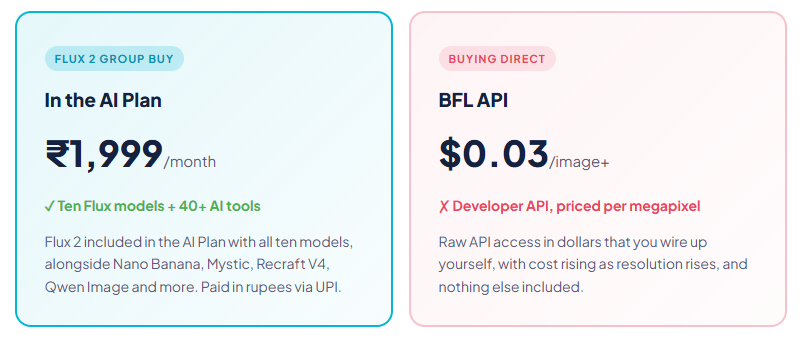
| What matters | Direct / Third Party | Flux 2 Group Buy |
|---|---|---|
| Price | Per image, scales with size | In AI Plan, ₹1,999 |
| Setup | API keys or code | Log in and generate |
| Billing | USD, card | Rupees, UPI |
| Models available | Whichever you wire up | Ten, in one dropdown |
| Other AI tools | Flux only | 40+ tools included |
| Support | Developer docs | WhatsApp, Indian hours |
| Bottom line | Raw API, in dollars | Ten models + 40 tools, in rupees |
Why the GroupToolz AI Plan Is the Best Route
Let me put the case plainly. First, it’s in rupees. You pay ₹1,999 through a UPI app rather than a dollar card charge with forex on top, and there’s no per-image meter running while you work. Second, a Flux 2 group buy means there’s nothing technical to do, which matters more with Flux than almost any other tool, because the alternative here really is writing code.
Third, and this is the strongest part, you get far more than Flux. The AI Plan bundles 40-plus AI tools, so the same payment covers Nano Banana for editing, Mystic for portraits, Recraft V4 for vectors, Qwen Image for text layouts, the Background Remover and Image Upscaler for finishing, and video models like Kling 2.5. Nobody does image work with one model anymore. A Flux 2 group buy that arrives with the rest of the stack beats API access to a single family.
| Every top model, one plan Worth saying clearly: no single AI image model wins everything, and 2026 made that obvious. Flux 2 leads photorealism and multi-reference consistency. Nano Banana owns photo editing. Recraft V4 is the only one making editable vectors. Qwen Image handles dense text. Mystic nails portraits. The AI Plan includes all of them, so you send each job to whichever model handles it best. That’s why a Flux 2 group buy through the AI Plan beats buying any single model alone. |
Flux 2 vs the Other Image Models
Here’s an honest comparison, because these tools have real differences.
| Tool | Best at | Where it trails |
|---|---|---|
| Flux 2 | Photorealism, multi-reference consistency, colour accuracy | Sold as a developer API, no consumer app |
| Nano Banana | Editing photos, character consistency | Less of a pure realism specialist |
| Mystic | Portraits and skin detail | Fewer models to choose between |
| Recraft V4 | Vectors, logos, design taste | Not built for photorealism |
| Midjourney | Artistic, stylised images | Flux 2 beats it on realism benchmarks |
The honest read: for photorealistic images, brand consistency and precise colour, Flux 2 is often the strongest pick in 2026. Nano Banana wins for editing an existing photo, Recraft V4 owns vectors, and Midjourney keeps a distinctive artistic look Flux doesn’t chase. With a Flux 2 group buy through the AI Plan you get Flux alongside those alternatives, so choosing isn’t necessary.
What You Can Make With Flux 2
| Use case | Why Flux 2 fits |
|---|---|
| Product photography | Realistic materials, lighting and reflections without a studio |
| Brand campaigns | Reference images hold your look consistent across every asset |
| Mascots and characters | The same character rendered again and again without drift |
| Lifestyle imagery | Photoreal scenes for ads, listings and social |
| Print work | 2K resolution for posters, packaging and flyers |
| Image editing | Kontext models for swapping backgrounds and objects |
| Flux 2, in the AI Plan ₹1,999 Ten Flux models + Nano Banana + Mystic + Recraft V4 + Qwen Image + 35 more AI tools · one plan · billed in INR · no auto-renewal |
A Real Workflow With Flux 2
Let me make it concrete. Say you’re building a brand mascot for a tech startup and you need it in six different scenes, all recognisably the same character.
You’d start in Flux.1 Fast, five seconds a go, running variations on your mascot prompt until the character feels right. That’s the exploration phase and speed matters more than polish. Once you’ve got one you like, download it, then switch to Flux.2 Klein or Max, upload your chosen mascot as a reference image in the settings panel, and generate the remaining scenes. Because Flux 2 uses those references to hold identity, your mascot stays the same character in every shot rather than mutating into a cousin.
Set resolution to 2K for anything heading to print, and match each ratio to where it’s going, 1:1 for the profile picture, 16:9 for the header, 9:16 for stories. Need a background swapped? The Kontext models handle it. Need the mascot as a scalable logo? Recraft V4 makes vectors. One afternoon, a full character system, no illustrator. That’s a Flux 2 group buy doing real work.
| Draft fast, finish slow The single habit that gets the most from ten models: separate exploring from finishing. Most people pick the best model straight away, then wait a minute per attempt while working out what they actually want. Do it the other way. Explore in Flux.1 Fast where an answer takes five seconds, iterate the wording until the idea is right, then take that finished prompt to Flux.2 Max for the version you’ll use. Better result, less total time, and the Reuse button makes carrying a prompt between models painless. |
Who a Flux 2 Group Buy Is For
| You are a… | And it gives you… |
|---|---|
| Brand or marketer | Campaign assets that stay visually consistent via references |
| E-commerce seller | Photoreal product images without a studio or photographer |
| Designer | Ten models to match each job, plus the rest of the toolkit |
| Content creator | Fast drafts and polished finals from the same interface |
| Small business owner | Frontier image quality with no code and no API keys |
| Student / learner | A leading model family to experiment with at a rupee price |
Tips for Getting Great Results
A Flux 2 group buy gives you all ten models, so here’s how to get the most out of them.
Use reference images properly, they’re the point of a Flux 2 group buy
The settings panel takes up to four references, and they’re the reason to choose Flux over most rivals. Add your product, your character or a style sample and Flux holds that look across generations, no training needed.
Name your colours exactly
Flux 2 respects hex codes. If your brand blue is a specific value, write it into the prompt rather than saying “blue” and hoping. That precision is rare among image models and worth using.
Match resolution to the destination
Use 1K while you’re exploring, since it’s quicker, and switch to 2K only for the final image that’s going to print or a large screen. No point rendering rejects at full size.
Lean on Reuse
The Reuse button loads a previous prompt and its settings back into the box, the fastest way to run the same idea through a different model.
The Bottom Line
Here’s where I land. Flux 2 is arguably the strongest image model family available in 2026. The team that built Stable Diffusion made it, it leads the photorealism benchmarks, and its multi-reference consistency solves a brand problem that used to take days of fine-tuning. The quality is not in question.
The problem is access. Black Forest Labs built it for developers, so there’s no app to subscribe to, pricing runs per megapixel, third-party routes mark it up two or three times, and self-hosting commercially costs $999 a month. For a creator in India, none of that is workable. A Flux 2 group buy through GroupToolz fixes all of it: ten Flux models in a real interface inside the AI Plan at ₹1,999 a month, in rupees, no code and no per-image meter, bundled with 40-plus other AI tools. That’s the smart way to use Flux 2 in 2026.
Questions People Actually Ask
What’s a Flux 2 group buy, in plain terms?
It’s shared access to Flux through a provider, so you don’t wire up an API or pay per image in dollars. Through GroupToolz, a Flux 2 group buy gets you ten Flux models inside the AI Plan for ₹1,999 a month, in rupees, wrapped in a real interface, alongside 40+ other AI tools. No API keys and no code needed.
How much does Flux 2 cost directly?
Black Forest Labs sells it as a developer API priced per image and per megapixel. Flux.2 Klein starts around $0.014, Pro is $0.03 to generate and $0.045 to edit, Flex about $0.06, and Max charges $0.07 for the first megapixel plus $0.03 for each extra. Third-party platforms mark those up, and self-hosting the open Dev model commercially needs a $999/month licence.
Which Flux models do I get?
Ten: Flux.1, Flux.1 Fast, Flux.1 Realism, Flux.1.1, Flux.1 Kontext Pro, Flux.1 Kontext Max, Flux.2 Klein, Flux.2 Flex, Flux.2 Max and Flux.2 Pro. Each shows its estimated time, from about five seconds on Flux.1 Fast to several minutes on Flux.2 Pro, so you can trade speed against quality per job.
How do I use Flux 2?
Write a detailed prompt, choose one of the ten models from the dropdown, set your aspect ratio from the ten available, then open settings to pick 1K or 2K resolution and add up to four reference images. Hit generate. Your result appears with Download, Copy, Redo, Reuse and Delete options, tagged with the model and ratio used.
What is Flux 2 best at?
Photorealism and consistency. It leads 2026 realism benchmarks, ahead of Midjourney, and its multi-reference feature holds a character, product or brand style steady across a whole batch without any fine-tuning. It also respects hex colour codes and edits at up to four megapixels, which makes it strong for brand and product work.
Can I pay in Indian Rupees?
Yes. The Flux 2 group buy through GroupToolz is part of the AI Plan at ₹1,999, billed in INR via Razorpay and UPI apps like PhonePe, GPay and Paytm. There’s no USD billing, no international card and no per-image charges. The AI Plan also doesn’t auto-renew, so you choose when to pay again.
Comments