
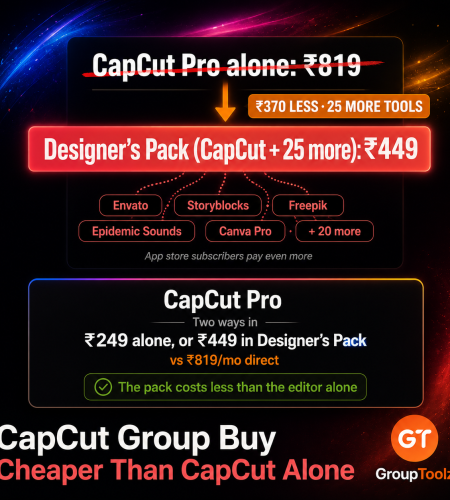
CapCut Pro runs about ₹819 a month in India, and more than that if you subscribe through your phone’s app store. A CapCut group buy gets it two ways: ₹249 as a single tool if CapCut is all you need, or ₹449 inside the Designer’s Pack, which is cheaper than CapCut Pro alone and throws in 25 more tools. Here’s the real pricing and which route fits you.
By GroupToolz Team Updated: August 2026
| ₹819 CapCut Pro direct | ₹249 Single tool | ₹449 Designer’s Pack | 26 Tools in that pack |
CapCut is probably the most-used video editor in India right now, and for good reason. It’s free to start, it runs on your phone, your laptop and in a browser, and it does the short-form stuff, captions, transitions, templates, better than tools costing far more. Most reels and shorts you scroll past were cut in it.
Then you hit the paywall. Watermarks on the good templates, no 4K export, the AI tools locked, cloud storage capped. Pro fixes all of it, but at around ₹819 a month in India that’s a real monthly cost for something you might use twice a week. This post covers both CapCut group buy routes we offer, what CapCut Pro actually costs direct, and which option actually suits you, including when the cheaper one is the right call.
What CapCut Pro Costs Directly
Here’s the 2026 picture. CapCut restructured its pricing, splitting the paid side into Standard and Pro, and there are a couple of traps in how you buy.
| Plan | India price | What you get |
|---|---|---|
| Free | ₹0 | Real editor, but watermarks on premium templates, no 4K |
| Standard | ~₹419/mo | Watermark-free, limited AI tools and assets |
| Pro | ~₹819/mo | 4K and HDR, full AI toolkit, cloud storage |
| Pro, annual | ~₹8,199/yr | Same, paid upfront for the year |
| CapCut group buy | ₹249/mo | Single tool, or ₹449 in the Designer’s Pack |
So the headline CapCut group buy comparison is straightforward. CapCut Pro direct is roughly ₹819 a month. A CapCut group buy through GroupToolz is ₹249. That’s about ₹570 a month saved, or close to ₹6,800 over a year, for the same editor.
| The app store surcharge nobody warns you about Worth knowing before you subscribe on your phone. Apple and Google take a commission of fifteen to thirty percent on in-app purchases, and CapCut passes that straight on to you. Subscribing through the iOS App Store or Google Play typically costs a few dollars a month more than buying the identical plan on CapCut’s website. So the exact same Pro subscription has two different prices depending on which button you tapped, and the phone route is the expensive one. Most people never check, subscribe in the app because it’s convenient, and quietly pay the platform tax every month. A CapCut group buy sidesteps that entirely, since you’re not going through an app store at all. |
What You Actually Unlock
Worth being clear about what the paid tier gives you, because CapCut’s free version is properly usable and some people don’t need Pro at all.
| Feature | Free | Pro |
|---|---|---|
| Basic editing, timeline, keyframes | Yes | Yes |
| Chroma key, speed ramping | Yes | Yes |
| Premium templates | Watermarked | Clean |
| 4K and HDR export | No | Yes |
| Full AI toolkit | Limited | Yes |
| Premium effects and filters | Locked | Unlocked |
| Cloud storage | Small | Large |
| Royalty-free music library | Basic set | Full library |
The watermark is what pushes most people over. You build a reel around a template, it looks great, and then there’s a CapCut logo sitting on your client’s video. For personal posts that’s survivable. For anything you’re paid to make, it isn’t, and that’s usually the moment people start looking for a CapCut group buy.
The Two Routes, Explained
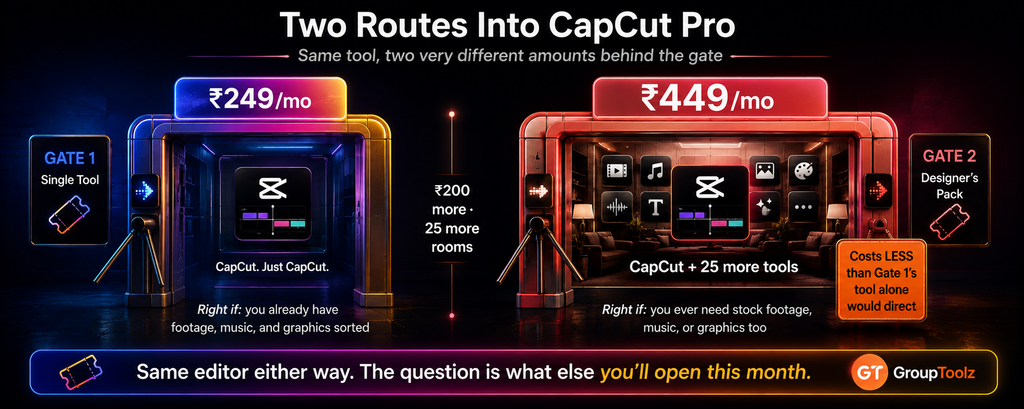
A CapCut group buy through GroupToolz comes two ways, and the right one depends entirely on what else you need. Let me lay both out.
Route one: the single tool at ₹249
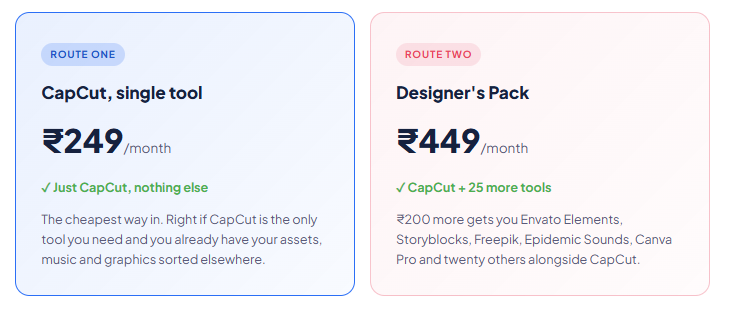
Simple and cheap. You get CapCut and nothing else, for ₹249 a month against roughly ₹819 direct. This is the right CapCut group buy if you’re a student, a hobbyist, or someone who edits occasionally and already has footage and music sorted. No point paying for stock libraries you won’t open.
Route two: the Designer’s Pack at ₹449
Here’s where it gets interesting, and I’d encourage anyone editing regularly to read this bit twice. For ₹200 more than the single tool, the Designer’s Pack gives you CapCut plus 25 other tools. That includes the things a video editor constantly needs and usually pays for separately.
| The comparison that decides it for most people Look at these two numbers side by side. CapCut Pro on its own, bought direct, is about ₹819 a month. The Designer’s Pack, which includes CapCut, is ₹449 a month. So the whole 26-tool pack costs considerably less than the single subscription you were about to buy. You’d be getting Envato Elements, Storyblocks, Freepik, Epidemic Sounds, Canva Pro, Vecteezy, Motion Array, Placeit, Icons8 and seventeen more, and paying nearly four hundred rupees less than CapCut alone would have cost you. That’s the strongest argument for this particular CapCut group buy route, and it’s just arithmetic rather than salesmanship. |
What’s Inside the Designer’s Pack
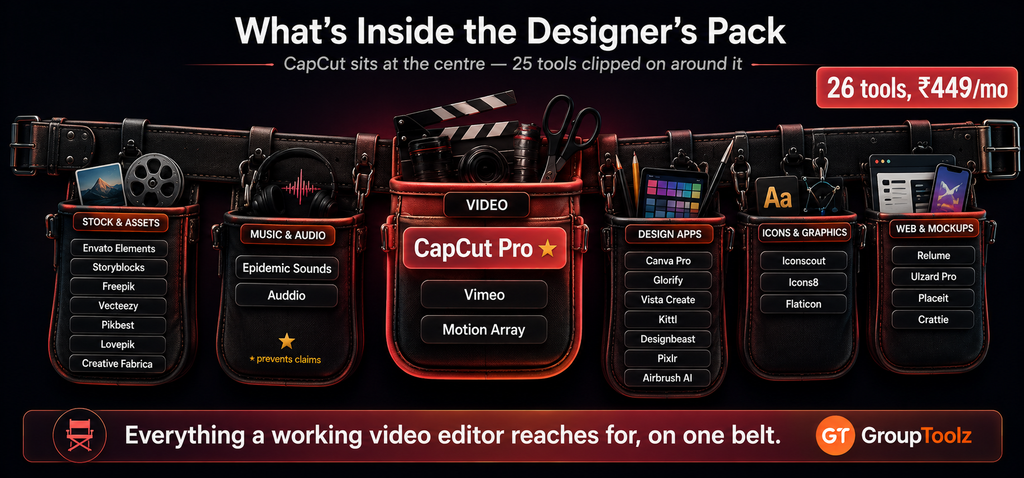
Since that’s the route I’d steer most editors towards, here’s the full list of 26 tools so you can judge it yourself.
| Category | Tools |
|---|---|
| Video | CapCut Pro, Vimeo, Motion Array |
| Stock footage & assets | Envato Elements, Storyblocks, Freepik, Vecteezy, Pikbest, Lovepik, Creative Fabrica |
| Music & audio | Epidemic Sounds, Auddio |
| Design apps | Canva Pro, Glorify, Vista Create, Kittl, Designbeast, Pixlr, Airbrush AI |
| Icons & graphics | Iconscout, Icons8, Flaticon |
| Web & mockups | Relume, UIzard Pro, Placeit |
| Other | Crattie |
| Why Epidemic Sounds matters more than editors expect One tool in that list deserves a special mention for video people. Epidemic Sounds is a licensed music library, and music is the thing that gets videos muted, claimed or demonetised more than anything else. CapCut’s own library is fine for personal posts, but if you’re publishing to YouTube or making client work, having properly licensed tracks stops a lot of headaches before they start. On its own, a music licensing subscription is a meaningful monthly cost. Getting it bundled with your CapCut group buy for ₹449 total is the kind of thing you only appreciate after the first time a video gets claimed. |
Which Route Should You Pick?
Here’s a straight framework, and I’m not going to pretend the pricier option is always right.
| You are a… | Take this | Why |
|---|---|---|
| Student or hobbyist | Single tool, ₹249 | You edit occasionally and don’t need stock libraries |
| Casual creator | Single tool, ₹249 | Phone edits, personal posts, own footage |
| Reels / shorts creator | Designer’s Pack, ₹449 | Needs music, B-roll, thumbnails and graphics too |
| Freelance video editor | Designer’s Pack, ₹449 | Client work needs licensed assets and stock footage |
| Small business owner | Designer’s Pack, ₹449 | Video plus design in one plan, cheaper than CapCut alone |
| Agency | Designer’s Pack, ₹449 | Whole team’s asset needs covered |
| The honest recommendation If CapCut really is the only thing you need, take the single tool at ₹249 and don’t overthink it. That’s a real saving over ₹819 and there’s no sense paying for stock libraries you’ll never open. But if you make video with any regularity, the Designer’s Pack at ₹449 is the better CapCut group buy by a wide margin, because it costs less than CapCut Pro direct while adding twenty-five tools. The test is simple: if you have ever searched for stock footage, hunted for background music, or made a thumbnail, the pack pays for itself in the first week. |
What Makes CapCut Worth Having
Quick reminder of why this editor took over, because a CapCut group buy is only worth having if the tool itself earns it.
| Strength | What it means for you |
|---|---|
| Auto captions | Accurate subtitles in seconds, which short-form needs |
| Templates | Drop your clips into a proven format and you’re done |
| Works everywhere | Phone, desktop and browser, with projects syncing across |
| Built for vertical | Reels, shorts and TikTok formats are the default, not an afterthought |
| AI tools | Background removal, voiceover, auto-cutting on the paid tier |
| Easy to learn | You can learn it in an afternoon, unlike traditional editors |
That last point is underrated. Traditional editing software has a learning curve measured in weeks. CapCut you can pick up over a weekend, which is why so many people who never considered themselves editors now publish video regularly. A CapCut group buy just removes the cost barrier from a tool that already removed the skill barrier.
| CapCut Pro direct vs the Designer’s Pack ₹819 → ₹449 Pay less than CapCut Pro alone and get 25 more tools · billed in INR via UPI · no auto-renewal · instant activation |
A Real Workflow
Let me show why the bundle route of a CapCut group buy matters in practice, because a video is never just an edit.
Say you’re making a product reel for a client. You shoot the product on your phone, but you need a few establishing shots you didn’t film. That’s Storyblocks or Motion Array for stock footage. You need background music that won’t get the video claimed, so Epidemic Sounds. The client wants their logo animated in the intro, and you don’t have a clean vector version, so Freepik or Iconscout. Then you edit the whole thing in CapCut, using Pro’s 4K export because the client wants it for a screen in their shop.
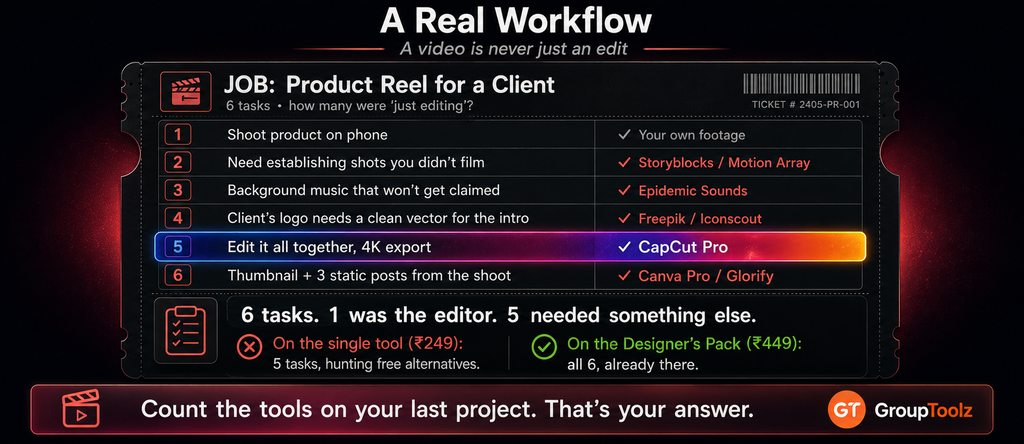
Finally they ask for a thumbnail and three static posts from the same shoot, which is Canva Pro or Glorify. Count the tools: five or six, and only one of them was the editor. On a single-tool CapCut group buy you’d have the editor and be hunting free alternatives for everything else. On the Designer’s Pack at ₹449, all of it was already there. That’s the whole argument in one job.
CapCut Group Buy vs Buying Direct
| What matters | Buying Direct | CapCut Group Buy |
|---|---|---|
| Monthly cost | ~₹819 for Pro | ₹249, or ₹449 with 25 tools |
| App store surcharge | Yes, if you subscribe in-app | None |
| Stock footage | Separate subscription | Included in the pack |
| Licensed music | Separate subscription | Epidemic Sounds in the pack |
| Billing | Card, auto-renews | Rupees via UPI, no auto-renewal |
| Support | Help centre | WhatsApp, Indian hours |
| Bottom line | One editor, full price | Editor plus the whole kit, for less |
Common Mistakes People Make
A few things worth avoiding, based on what we see people get wrong.
Subscribing inside the phone app
The most expensive mistake, and the easiest to make. You hit a paywall mid-edit on your phone, tap subscribe, and pay the app store surcharge every month from then on. If you are buying direct rather than through a CapCut group buy, at least buy on the website.
Paying for Pro when Standard would do
If all you want is the watermark gone, Standard is roughly half the price of Pro. The extra money buys 4K, HDR and the full AI toolkit. Plenty of phone-first creators never touch any of those.
Buying the single tool then adding subscriptions
This is the one that costs the most over a year. Someone takes the ₹249 CapCut group buy to save money, then signs up separately for stock footage, then for a music library, then for a design tool. Three months later they are paying more than the ₹449 pack that already contained all of it.
Forgetting the annual trap
CapCut’s annual plan looks cheaper per month, but it locks up around ₹8,199 upfront. If your video work is seasonal or you are testing whether you will stick with it, a monthly CapCut group buy with no auto-renewal is the safer commitment.
What a CapCut Group Buy Is
Quick definition for anyone new to the idea. A CapCut group buy is where access to CapCut Pro is shared through a provider, so you pay a fraction of the direct subscription price. Through GroupToolz, a CapCut group buy costs ₹249 a month as a single tool, or comes bundled inside the Designer’s Pack at ₹449 with 25 other design and video tools.
Everything is billed in rupees through UPI apps like PhonePe, GPay and Paytm, or by card. Nothing auto-renews, so you decide each month rather than discovering a charge you’d forgotten about, and activation is immediate. Support runs on WhatsApp during Indian hours, which beats filing a ticket with a global help desk.
| Try the free version first, honestly Advice that costs us money but is worth giving. CapCut’s free tier is a real editor, not a crippled demo. Cutting, the multi-track timeline, keyframes, chroma key, speed ramping and basic captions are all there. Before paying for anything, spend a week making videos on the free version and note exactly what stopped you. If the answer is “nothing,” you don’t need a CapCut group buy at all. If the answer is watermarks on templates, or 4K export, or the AI tools, then you know precisely what you’re buying and why, rather than paying for a tier someone told you to get. |
Tips for Getting More From CapCut
Since a CapCut group buy gets you the paid features, here’s how to use them well.
Start from a template, then break it
Templates get you eighty percent of a good edit in two minutes. Use one as a skeleton, then swap the music, change the pacing and cut your own clips in. That’s faster than building from scratch and less generic than posting the template as-is.
Export at 4K even for vertical
Pro unlocks 4K, and it’s worth using even for reels. Platforms compress everything you upload, so starting from a higher-resolution file means what survives the compression looks noticeably better.
Fix your captions manually
Auto captions are quick but they mangle names, brands and Indian words regularly. Thirty seconds of correction is the difference between looking professional and looking careless.
Pull your music from Epidemic Sounds
If you’re on the Designer’s Pack, use the licensed library rather than trending audio for anything client-facing or monetised. Trending sounds are for reach, licensed music is for safety.
The Bottom Line
Here’s where I land. CapCut became the default video editor in India because it’s easy, it’s everywhere, and it handles short-form better than tools costing far more. The only real friction is the paywall, and at roughly ₹819 a month for Pro, more if you subscribe on your phone, that’s a genuine monthly decision for a lot of people.
A CapCut group buy solves it two ways. If CapCut is all you need, ₹249 a month gets you the editor and saves you around ₹570 against the direct price. If you make video with any regularity, the Designer’s Pack at ₹449 is the smarter buy, because it costs less than CapCut Pro on its own and adds Envato Elements, Storyblocks, Freepik, Epidemic Sounds, Canva Pro and twenty-one others. Work out which of those you’d actually open, and the right route becomes obvious in about a minute.
Questions People Actually Ask
How much does CapCut Pro cost in India?
Around ₹819 a month, or roughly ₹8,199 a year, with the Standard tier near ₹419 a month. Subscribing through the iOS App Store or Google Play usually costs more than CapCut’s website, because Apple and Google take a 15-30% commission that gets passed on to you. A CapCut group buy through GroupToolz is ₹249 a month instead.
What’s the difference between the ₹249 and ₹449 options?
₹249 gets you CapCut as a single tool and nothing else. ₹449 gets you the Designer’s Pack, which includes CapCut plus 25 more tools: Envato Elements, Storyblocks, Freepik, Epidemic Sounds, Canva Pro, Vecteezy, Motion Array, Icons8, Placeit and others. The pack costs less than CapCut Pro alone does direct.
Which one should I choose?
Take the ₹249 single tool if you’re a student or casual creator who only needs the editor and already has footage and music sorted. Take the Designer’s Pack at ₹449 if you make video regularly, do client work, or ever need stock footage, licensed music, graphics or thumbnails. For most creators the pack wins easily on value.
Is CapCut’s free version good enough?
For a lot of people, yes. The free tier includes proper editing, a multi-track timeline, keyframes, chroma key, speed ramping and basic captions. What you don’t get is watermark-free premium templates, 4K and HDR export, the full AI toolkit, premium effects or much cloud storage. Try free for a week and see what actually blocks you before buying.
What does CapCut Pro unlock?
Watermark-free access to premium templates, 4K and HDR export, the complete AI toolkit including background removal and voiceover, premium effects and filters, the full royalty-free music library, and considerably more cloud storage. The watermark on templates is what pushes most people to upgrade, especially for client work.
Can I pay in Indian Rupees?
Yes. A CapCut group buy through GroupToolz is billed in INR via Razorpay and UPI apps like PhonePe, GPay and Paytm, or by card. No dollar billing and no app store surcharge. Nothing auto-renews, so you choose each month, activation is immediate, and support runs on WhatsApp during Indian hours.
Comments