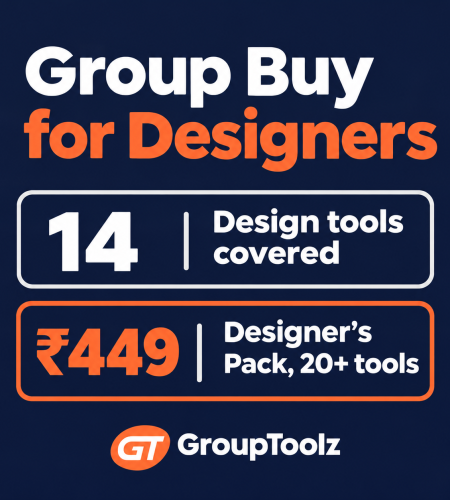
A group buy for designers can put Envato Elements, Freepik, Canva Pro, Kittl, Uizard and Midjourney in your browser for a few hundred rupees a month. For learning, mood boards and drafts, that’s brilliant. For a client’s final logo, it can be a legal mess. This guide shows the 14 design tools worth paying for, the free ones that beat them, and the licence rules that decide where shared tools are safe.
By GroupToolz Team Checked: 17 November 2026
Considering a group buy for designers? Read the licence section before you deliver a single client file. It’s the part most sellers never mention.
| 14 Design tools covered | ₹99 Canva on GroupToolz | ₹449 Designer’s Pack | $1M Revenue line for Midjourney Pro |
A designer friend in Bengaluru lost a ₹60,000 branding project last year, after the work was done. The client’s lawyer asked one question: “Can you show us the licence for the illustration in the logo?” She’d pulled it from a stock library on an account she’d shared with two other freelancers. The licence was in someone else’s name. The client walked.
She wasn’t careless. Nobody had ever told her how stock licences work. So this guide to a group buy for designers is built around that lesson. Shared tools are fantastic for practising, sketching ideas, building mood boards and personal work. They’re the wrong place to get assets for a client’s final deliverable. Once you know which is which, you can save a lot of money without risking your reputation.
| The short answer Use a group buy for designers for learning, mood boards, mockups, concept drafts and your own projects. For anything that ends up in a client’s final files, especially logos and brand assets, use your own licences or create the elements yourself. Start with free tools like Figma, Photopea and Google Fonts. Add the ₹449 Designer’s Pack or single tools like Kittl and Uizard when you need them. |
Free Design Tools to Learn on First
Before any paid plan, these free tools cover most of what a design student or junior designer needs. Several of them are what professionals use daily.
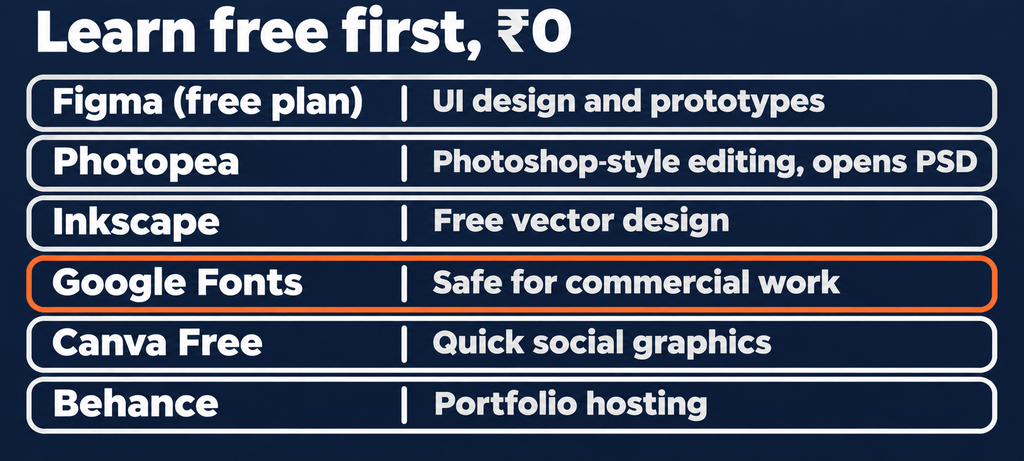
| Free tool | What it’s for |
|---|---|
| Figma (free plan) | UI design and prototypes, free for individuals with 3 projects |
| Photopea | Photoshop-style editing in the browser, opens PSD files |
| Inkscape | Free vector design, a solid Illustrator alternative |
| Google Fonts | Free fonts you can use commercially |
| Canva Free | Quick social graphics and presentations |
| Behance | Free portfolio hosting and inspiration |
Google Fonts deserves special mention. Fonts are where licence trouble starts for many designers, and Google Fonts are free to use in commercial work. Make them your default for client projects.
How Design Licences Actually Work
This is the heart of any honest group buy for designers guide, so let me be precise.
When you download from a stock library or generate with an AI tool, a licence is created. That licence belongs to the subscriber, the person or company whose account it is. On a shared account, that’s the group buy provider, not you. Here’s what three popular tools say.
- Canva: its content licence agreement lets you hand a finished design to a client under a written agreement, one design per client. It forbids using Canva content as part of a trademark or business name, and forbids reselling it standalone or on merchandise.
- Midjourney: its terms of service say subscribers own what they create, companies earning over $1 million a year need a Pro or Mega plan, and each account is for one user only.
- Envato Elements: its licence terms tie each download to the subscriber and to a project registered at download time.
Put those together and the rule is clear. Assets from a shared account are fine for things nobody will ever ask you to prove a licence for: practice, mood boards, pitches, internal drafts. They’re risky in anything a client will own, trademark, sell or defend.
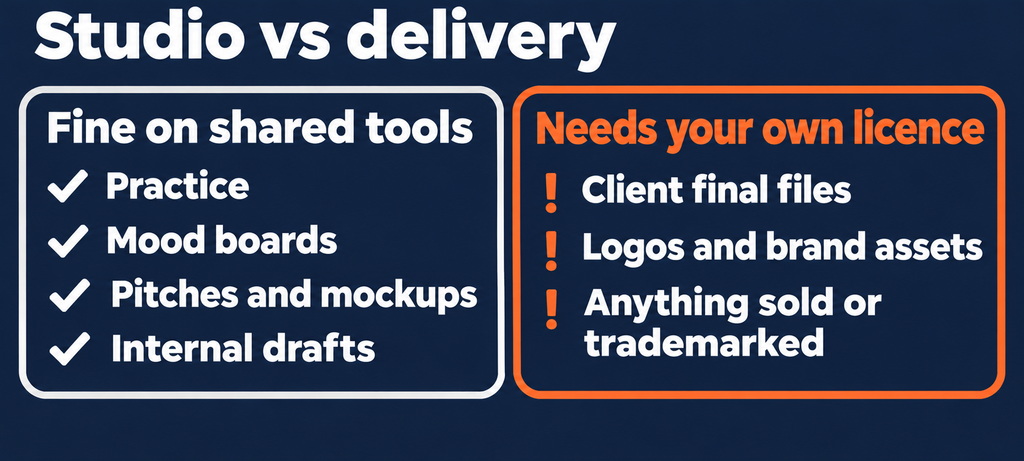
| Never put shared assets in a logo Logos get trademarked. Trademarks get challenged. Canva’s own licence forbids using its content in a trademark at all, and a stock element licensed to someone else is a weak foundation for a brand. Draw logo elements yourself, use Google Fonts or fonts you’ve licensed in your name, and keep the source files. This rule alone would have saved my friend’s ₹60,000 project. |
The 14 Best Tools in a Group Buy for Designers
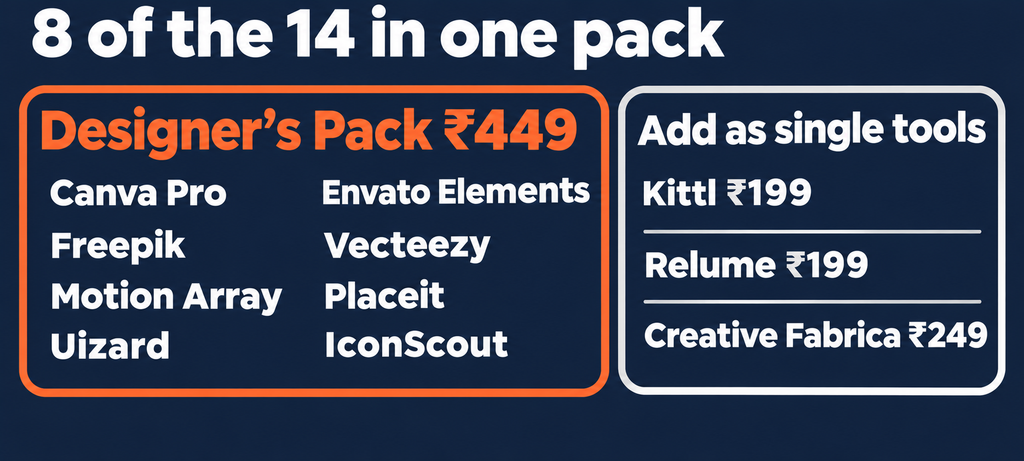
Here are the paid design tools worth having, with our single-tool prices. Several also sit inside the ₹449 Designer’s Pack.
| # | Tool | Best for | Price | Designer’s Pack? |
|---|---|---|---|---|
| 1 | Canva Pro | Social, presentations, quick layouts | ₹99 | Yes |
| 2 | Envato Elements | Templates, fonts, mockups, graphics | ₹199 | Yes |
| 3 | Freepik | Vectors, photos, PSD templates | ₹299 | Yes |
| 4 | Vecteezy | Vectors and illustrations | ₹249 | Yes |
| 5 | Motion Array | Motion templates, After Effects and Premiere files | ₹249 | Yes |
| 6 | Placeit | Mockups for apparel, packaging, devices | ₹199 | Yes |
| 7 | Uizard | Fast UI wireframes and prototypes | ₹199 | Yes |
| 8 | IconScout | Icons, 3D assets, Lottie animations | ₹299 | Yes |
| 9 | Kittl | Typography, labels, T-shirt designs | ₹199 | Single |
| 10 | Creative Fabrica | Fonts, graphics, craft files | ₹249 | Single |
| 11 | Relume | Website sitemaps and wireframes | ₹199 | Single |
| 12 | Flaticon | Icon sets | ₹199 | In Pro and Advanced |
| 13 | Midjourney | Concept art, mood boards | ₹699 | In AI Plan |
| 14 | Nano Banana 2 Pro | AI photo edits and comps | ₹299 | In AI Plan |
See every option, with all 111 tools, in our group buy tools list.
Group Buy for Designers: Tools by Discipline
Graphic and social designers
Canva Pro handles quick social and presentation work. Freepik and Vecteezy supply vectors and PSD templates to study and remix for practice. Placeit turns a T-shirt or packaging design into a realistic mockup in seconds, which is perfect for pitching concepts before anything gets printed.
Brand and identity designers
This is where a group buy for designers needs the most care. Use Kittl and Creative Fabrica to explore type styles and get inspiration. Use Midjourney for mood boards. But build the actual logo yourself, in Illustrator or Inkscape, with fonts licensed in your name or from Google Fonts.
UI and UX designers
Figma’s free plan does the heavy lifting. Uizard turns rough sketches into wireframes fast, and Relume generates sitemaps and wireframe sections for websites, which saves hours at the start of a project. IconScout adds icons, 3D illustrations and Lottie animations for prototypes.
Motion designers
Motion Array and Envato Elements offer After Effects and Premiere templates to learn from and use in your own projects. For client videos, check the licence of every template carefully, or rebuild the key parts yourself.
Direct Cost vs a Group Buy for Designers
Here’s what a typical freelance designer’s stack costs bought directly, compared with group buy prices.
| Tool | Direct, approx. ₹/month |
|---|---|
| Canva Pro | ~₹333 (₹4,000/yr) |
| Midjourney Basic | ~₹850 ($10) |
| Stock libraries (Envato, Freepik and similar) | Separate subscriptions, usually dollar-billed |
| Mockup, icon and UI tools | Separate subscriptions each |
| Designer’s Pack, 20+ design tools | ₹449 |
Check each library’s own pricing page for current direct prices. Many bill in US dollars, so add your bank’s forex charges.
The pack is clearly cheaper. But remember what you’re buying: access for creating and exploring, not licences in your name for client deliverables. For a hobbyist or student, that’s everything. For a working freelancer, it’s the “studio” half of the job, and you’ll still own a few licences for the “delivery” half.
The Hybrid Group Buy for Designers Setup for Freelancers
Here’s what I’d recommend to a freelance designer earning from client work.
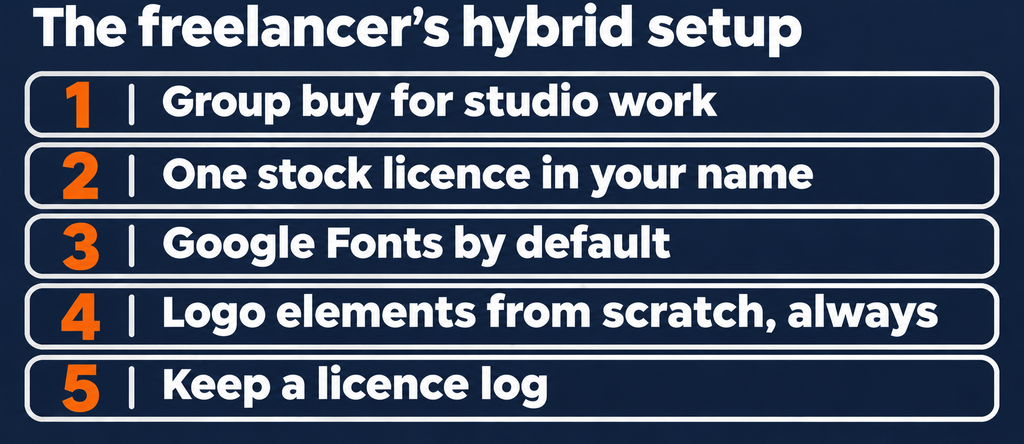
- Use a group buy for designers for the studio work. Mood boards, concept drafts, mockups for pitches, templates to learn from, AI exploration.
- Own one stock licence in your name for assets that go into client deliverables. Even one month of a library you register projects in properly covers a lot.
- Use Google Fonts by default, and buy a licence for any paid font a client’s brand depends on.
- Create logo elements from scratch. Always.
- Keep a licence log. One spreadsheet: asset, source, licence holder, client, date. When a lawyer asks, you have an answer.
That setup gets you most of the savings of a group buy for designers while protecting every client file you deliver.
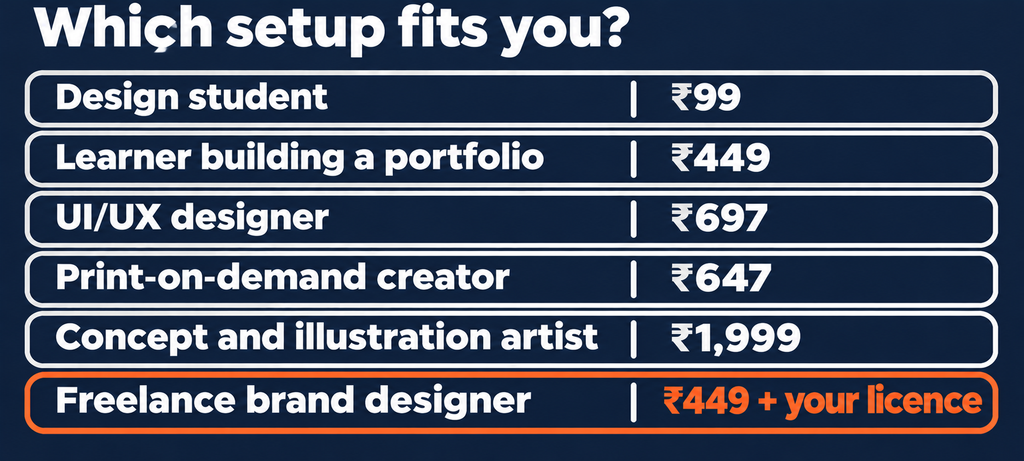
Which Group Buy for Designers Setup Fits You
| You are a… | Suggested setup | Monthly |
|---|---|---|
| Design student | Free tools + Canva ₹99 | ₹99 |
| Learner building a portfolio | Designer’s Pack | ₹449 |
| UI/UX designer | Figma free + Uizard + Relume + IconScout | ₹697 |
| Print-on-demand creator | Kittl + Placeit + Creative Fabrica (check each licence) | ₹647 |
| Concept and illustration artist | AI Plan for Midjourney and image models | ₹1,999 |
| Freelance brand designer | Designer’s Pack + one stock licence in your own name | ₹449 + your licence |
Not sure whether you need the Designer’s Pack or the Writer’s Pack? We compared them in Designer’s Pack vs Writer’s Pack. Or build a mix with a Custom Plan from ₹999.
Building a Portfolio on a Group Buy for Designers
For students and career switchers, this is where a group buy for designers pays off fastest. A portfolio needs volume and variety, and those come from practice.
- Redesign three real brands you like. A local café, an Indian D2C brand, a college fest. Label them clearly as concept work.
- Study templates, then rebuild them from scratch. Open an Envato or Freepik template, understand its grid and hierarchy, then close it and design your own version.
- Mock everything up. Placeit and Envato mockups turn flat designs into something that looks real on a screen or a shelf.
- Show your process. Mood boards, sketches, rejected directions. Recruiters care more about thinking than polish.
- Publish on Behance, with a short case study for each project.
Two or three months of a group buy for designers, used this way, can produce a portfolio that would otherwise take a year. And because portfolio pieces are concept work, not client deliverables, the licence question mostly disappears. Just credit any stock imagery you keep in the final presentation. That’s exactly the kind of work a group buy for designers is built for.
Envato Elements Group Buy: What to Know
Envato Elements is the most-requested tool in any group buy for designers, and for good reason. Templates, fonts, mockups, graphics, footage and music, all in one library.
An Envato Elements group buy at ₹199 is excellent for learning, studying how professional templates are built, and pitch mockups. But Envato’s licences are tied to the subscriber and to a project registered at download. On shared access, the subscriber isn’t you, and you can’t register your client’s project in your name.
So if Envato assets end up in client deliverables regularly, a subscription in your own name is the cleaner route. Use the Envato Elements group buy for everything before delivery, and your own licence for the final files. That keeps a group buy for designers in its sweet spot.
Fonts: The Licence Trap Nobody Checks
Fonts cause more licence trouble than images. A font that’s fine for a personal poster may need a separate licence for a logo, an app or a website.
The safe path: use Google Fonts, which are among the best free design tools for commercial work. When a brand needs a premium typeface, buy that font’s licence in the client’s or your own name. Creative Fabrica and Envato on a group buy for designers are great for discovering type styles, but treat them as inspiration for client branding.
Using AI Tools as a Designer
AI is now part of most design workflows, and a group buy for designers is a cheap way to try several models before committing. A few honest rules.
- Use AI for exploration, not final art, unless the client has agreed to AI-generated work.
- Check ownership rules. Midjourney’s terms tie ownership to the subscriber, and companies over $1 million in revenue need Pro or Mega. On a shared account, you’re not the subscriber.
- Nothing is private on shared AI accounts. Don’t upload a client’s unreleased product photos to generate variations.
- Disclose AI use where a client would reasonably expect to know.
We ranked the image models designers use most in our best AI image generators guide.
A Week in a Freelance Designer’s Studio
Picture a freelance designer in Jaipur working on a rebrand for a local organic tea company.
Monday, she builds a mood board with Midjourney concepts and Freepik references, all for internal use. Tuesday, she explores lettering styles in Kittl and pairs them against free Google Fonts. Wednesday, she draws the logo mark from scratch in Illustrator, using a Google Font for the wordmark.
Thursday, she mocks the logo onto tea tins, tote bags and a shopfront with Placeit for the client presentation. The mockups are for the pitch deck only, not the final files. Friday, she builds the brand guidelines in Figma. The only stock photo in the final guidelines comes from a library licensed in her own name, and it goes straight into her licence log.
Her group buy for designers covered the whole creative process for ₹449. Her own licence covered the one asset that reached the client. Nobody’s lawyer will ever have a question.
Mistakes to Avoid on a Group Buy for Designers
Treating every download as “licensed”. On a shared account, it’s licensed to someone else. Know the difference before using it for clients.
Saving client work in shared workspaces. Other users may see it, and accounts rotate. Download everything and keep source files in your own storage.
Using one login across a studio. Providers watch for it and lock accounts. One plan per designer, as we covered in group buy for agencies.
Skipping the free tools. Figma, Photopea, Inkscape and Google Fonts are professional-grade. A group buy for designers should add to them, not replace them.
Where GroupToolz Fits, Honestly
Here’s what our group buy for designers includes, and where its limits are.
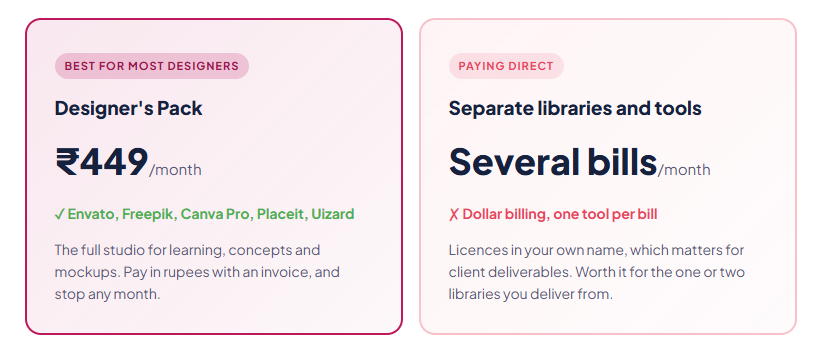
- Designer’s Pack, ₹449: 20+ design tools including Envato Elements, Storyblocks, Vecteezy, Motion Array, Freepik, Epidemic Sound, Canva Pro, Placeit, Uizard and IconScout.
- Single tools: Canva ₹99, Kittl ₹199, Relume ₹199, Creative Fabrica ₹249, Midjourney ₹699, Nano Banana 2 Pro ₹299.
- AI Plan, ₹1,999: Midjourney plus 40+ image and video models.
- Billing: Razorpay, Stripe and UPI, with invoices. Nothing auto-renews.
The limits, plainly. Licences on shared accounts belong to the account holder, not you. Shared tools have daily download caps and occasional downtime. And our public reviews are still building, so test everything in your first 24 hours, as explained in our refund policy guide.
| 20+ design tools in one plan ₹449 a month Shared group buy access · billed in INR · daily limits apply · licences belong to the account holder |
The Bottom Line
A group buy for designers is one of the best-value tools a student, learner or freelancer can buy. For ₹449, you get a studio’s worth of templates, assets, mockups and AI tools to learn and explore with.
It also takes the pressure off experimenting. When downloads don’t cost extra, you try the strange layout, the bold colour, the type pairing you’d never risk on a client’s budget. That’s how designers grow, and it’s the quiet benefit nobody puts on a pricing page. Ten minutes of play a day with new templates and mockups adds up to a sharper eye within months.
Just keep the line clear. Shared tools are for the studio, your own licences are for delivery, and logos are always drawn from scratch. Keep a licence log, default to Google Fonts, and you’ll never lose a project the way my friend did. Use a group buy for designers that way, and it’s pure upside.
Questions People Actually Ask
What is the best group buy for designers?
For most designers, the ₹449 Designer’s Pack covers Envato Elements, Freepik, Vecteezy, Motion Array, Canva Pro, Placeit, Uizard and IconScout. Add Kittl or Relume as single tools at ₹199 if you need them.
Can I use group buy assets in client work?
Be careful. Licences on shared accounts belong to the account holder, not you. Use shared assets for mood boards, drafts and pitches, and use licences in your own name, or your own creations, for final client deliverables.
Can I make a logo with Canva elements?
No. Canva’s content licence agreement forbids using its content as part of a trademark or business name. Draw logo elements yourself and use Google Fonts or fonts licensed in your name.
Who owns Midjourney images made on a shared account?
Midjourney’s terms give ownership to the subscriber, allow one user per account, and require Pro or Mega for companies earning over $1 million a year. On a shared account, you aren’t the subscriber, so use it for exploration rather than final client art.
Which free design tools are worth using?
Figma’s free plan for UI, Photopea for photo editing, Inkscape for vectors, Google Fonts for commercial-safe fonts, Canva Free for quick graphics and Behance for your portfolio.
Is an Envato Elements group buy worth it for designers?
For learning, practice and pitch mockups, yes. Envato licences are tied to the subscriber and to projects registered at download, so for client deliverables, a subscription in your own name is safer.
GroupToolz Team. We run a group buy platform in India and work with designers every day. Licence details come from Canva’s content licence agreement, Midjourney’s terms of service and Envato’s licence terms, read on 17 November 2026. This isn’t legal advice, so check each licence for your own use.
Comments