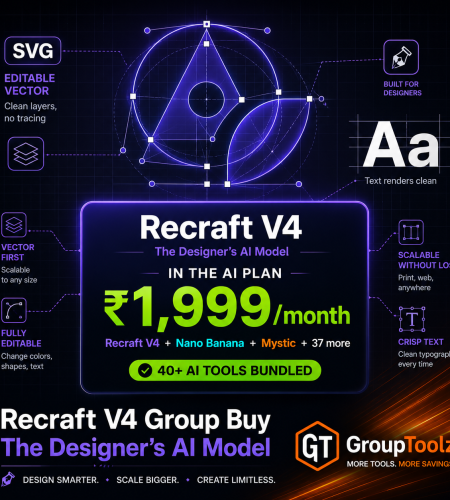
Recraft V4 isn’t just another image generator. It’s the one built for designers, the only AI model that makes editable vector files, renders text cleanly, and produces work that looks art-directed instead of stock. Getting it direct means Recraft’s own plans in dollars. A Recraft V4 group buy gets it inside the GroupToolz AI Plan for ₹1,999, next to 40+ other AI tools. Here’s what Recraft V4 does, exactly how to use it, and the smart way to get it in India.
By GroupToolz Team Updated: July 2026
| SVG Editable vectors | 2 Models in the plan | 2K Pro resolution | ₹1,999 In the AI Plan |
Let me start with what makes Recraft V4 different, because it isn’t just “another AI that makes pictures.” Released in February 2026 by the team behind CatBoost, Recraft V4 was rebuilt from the ground up around one idea: design taste. Most image models chase mass appeal and give you pretty but generic, stock-looking results. Recraft V4 aims for the kind of balanced composition, cohesive colour and refined detail you’d expect from a human art director. It’s the model designers actually reach for.
Two things set it apart from every rival. First, it’s the only major AI model that generates real, editable vector files, actual SVGs with clean layers, straight from a prompt, no tracing or conversion. Second, it renders text properly, headlines, logos, posters and signage come out legible where other models produce gibberish. Getting it direct means Recraft’s own dollar plans. That’s why a Recraft V4 group buy makes sense, and why GroupToolz put it inside the AI Plan. Let me break down the tool, how to use it, and the smart way to get it.
What Is Recraft V4?
Recraft V4 is the latest AI image and vector generation model from Recraft, released in February 2026. You type a prompt describing what you want, and it produces a design-quality result, either a raster image or an editable vector file. It comes in four flavours: Standard at 1024px, Pro at 2048px for print-ready work, plus Vector and Vector Pro for scalable SVG output. Through the GroupToolz interface you get Recraft V4 and Recraft V4 Pro to pick between.
What makes it special is that it’s built for real work, not just nice-looking pictures. The output is meant to be usable straight away, brand assets, logos, icons, posters, packaging, with no manual cleanup. It reads light, shadow and material the way a designer would, keeps proportions accurate, and treats typography as a core design element rather than an afterthought. That production-ready quality is why a Recraft V4 group buy is worth having if your work involves design, branding or anything with text in it.
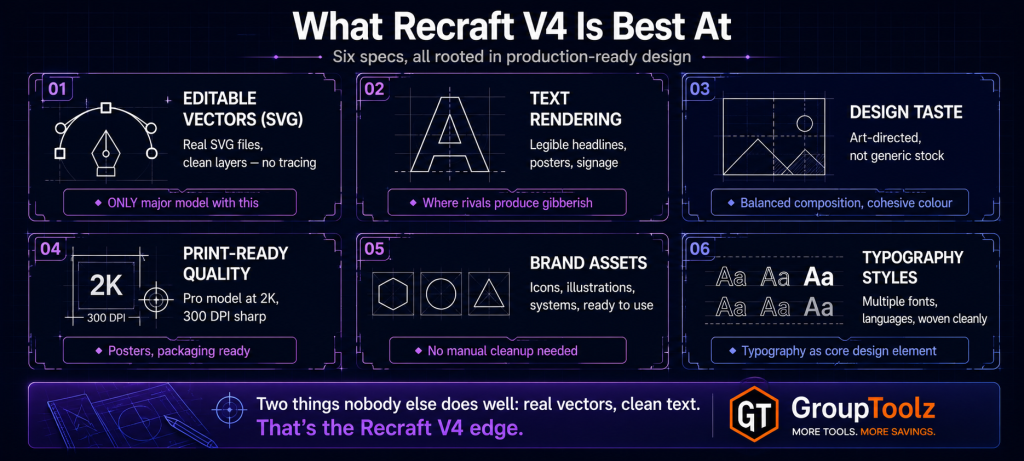
What Recraft V4 Is Best At
Every AI image model has a sweet spot. Here’s where Recraft V4 genuinely stands apart.
| Strength | What it means for you |
|---|---|
| Editable vectors (SVG) | The only major model making real SVG files, perfect for logos and icons that scale |
| Text rendering | Legible headlines, posters and signage, where other models misspell |
| Design taste | Art-directed, balanced results that don’t look like generic stock |
| Print-ready quality | Pro model at 2K, sharp enough for posters, packaging and 300 DPI print |
| Brand assets | Icons, illustrations and brand systems ready to use out of the box |
| Typography styles | Multiple fonts and languages woven cleanly into designs |
| Why the vector and text skills are a genuine edge Here’s what most people miss. Almost every AI image model, Midjourney, DALL-E, the lot, makes raster images, flat pixels you can’t easily edit, and they mangle any text you ask for. Recraft V4 does the two hard things nobody else does well: it outputs real editable vector files with clean layers, so a logo or icon scales to any size and can be tweaked in a design tool, and it renders text cleanly enough for actual posters and signage. For designers, marketers and anyone making branded visuals, that’s the difference between a fun toy and a real production tool. A Recraft V4 group buy puts that specific edge in your hands. |
How to Use Recraft V4, Step by Step
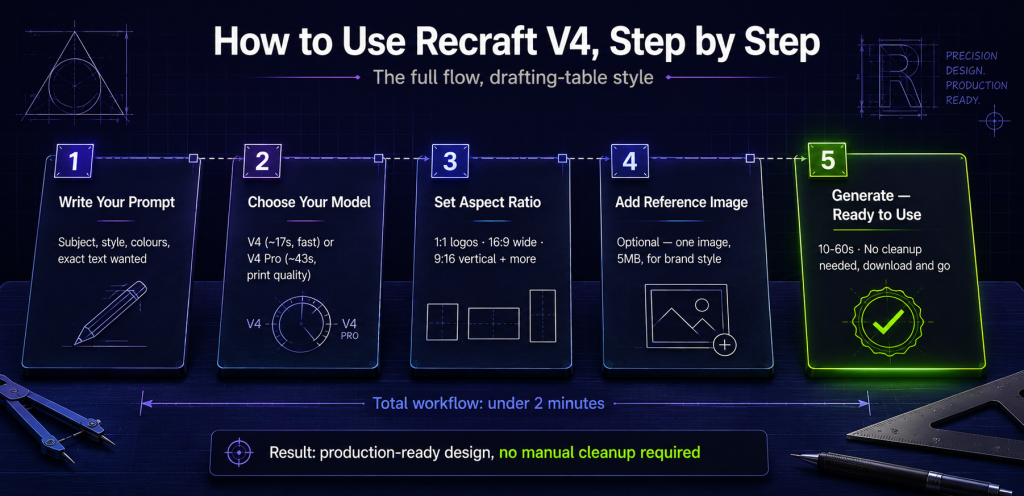
Here’s the part that matters if you’re new to it. Using Recraft V4 through the GroupToolz AI Plan is simple, and the interface walks you through it. Here’s the full flow.
1. Write your prompt
In the “Describe what you want to create” box, type a detailed prompt. Be specific about the subject, style, colours and any text you want. For a logo, try “minimalist logo for a coffee shop, warm brown and cream, clean sans-serif text reading Bean & Co.” The more design detail you give, the better Recraft V4’s result.
2. Choose your model
From the model dropdown, pick Recraft V4 or Recraft V4 Pro. Recraft V4 is the faster option at around 17 seconds, great for everyday work and quick iteration. Recraft V4 Pro takes around 43 seconds and gives finer detail and higher resolution for print and large-scale work. Pick based on whether you want speed or maximum quality.
3. Set the aspect ratio
Pick the size and shape from the ratio dropdown. Recraft V4 supports a wide range, 1:1 for square, 16:9 and 9:16 for wide and vertical, plus 2:1, 1:2, 3:2, 2:3, 4:3, 3:4, 5:4 and 4:5. Choose 16:9 for YouTube thumbnails or banners, 9:16 for reels and stories, 1:1 for logos and social posts.
4. Add a reference image (optional)
Open the settings and you can drop or click to add one reference image, up to 5MB. This guides the style of your generation, so if you want to match a particular look, colour palette or brand style, upload a reference and Recraft V4 will lean towards it. Handy for staying on-brand.
5. Generate
Hit the send button and Recraft V4 renders your design, usually in 10 to 60 seconds depending on the model. Your result appears ready to use, download it and it’s good to go, no cleanup needed.
| The two models, and when to use each Quick guide from the interface. Recraft V4 (around 17 seconds) is your everyday workhorse, fast, great for concepting, drafts and quick social graphics. Recraft V4 Pro (around 43 seconds) is your quality option, finer detail and higher resolution for print work, posters, packaging and anything going large. The rule of thumb: draft and explore in Recraft V4, then render your final hero design in Recraft V4 Pro. Because a Recraft V4 group buy gives you both, you never have to compromise between speed and quality. |
What Is a Recraft V4 Group Buy?
A Recraft V4 group buy is where access to Recraft V4 is shared through a provider, so you don’t pay Recraft’s full solo price in dollars. Instead of a standalone Recraft subscription billed in USD, a Recraft V4 group buy through GroupToolz gets you the tool inside the AI Plan for ₹1,999 a month, paid in rupees, alongside 40-plus other AI tools.
That’s the key point: with GroupToolz, Recraft V4 isn’t sold as a lonely single subscription. It comes as part of the AI Plan, so the same ₹1,999 that gets you Recraft V4 also gets you Nano Banana, GPT Image, Flux 2, Mystic, Ideogram, Leonardo and a whole stack of image and video tools. A Recraft V4 group buy this way isn’t just cheaper access to one model, it’s Recraft V4 plus an entire AI toolkit in one rupee-priced plan.
| Recraft V4 comes inside the AI Plan Here’s how the access works, plainly. Recraft V4 is one of the tools included in the GroupToolz AI Plan at ₹1,999 a month. You don’t buy it as a separate subscription and you don’t deal with USD billing. You get into the AI Plan, open Recraft V4 in your dashboard, and start generating design-quality images and vectors with both models, all the aspect ratios and the reference-image feature. That’s the whole appeal of a Recraft group buy through GroupToolz, one rupee plan, Recraft V4 included, plus everything else. |
Recraft V4 vs the Original Recraft, and Rivals
You might wonder how Recraft V4 stacks up against the older Recraft and against other tools. Here’s the honest picture.
| Tool | Best at | Where it trails |
|---|---|---|
| Recraft V4 | Vectors, text, design taste, print | Others edge it on pure photorealism |
| Recraft V3 (older) | Good vectors and text for its time | V4 beats it on quality and composition |
| Midjourney | Artistic, painterly images | No vectors, weak text |
| Nano Banana | Photo editing, consistency | Not a vector or design tool |
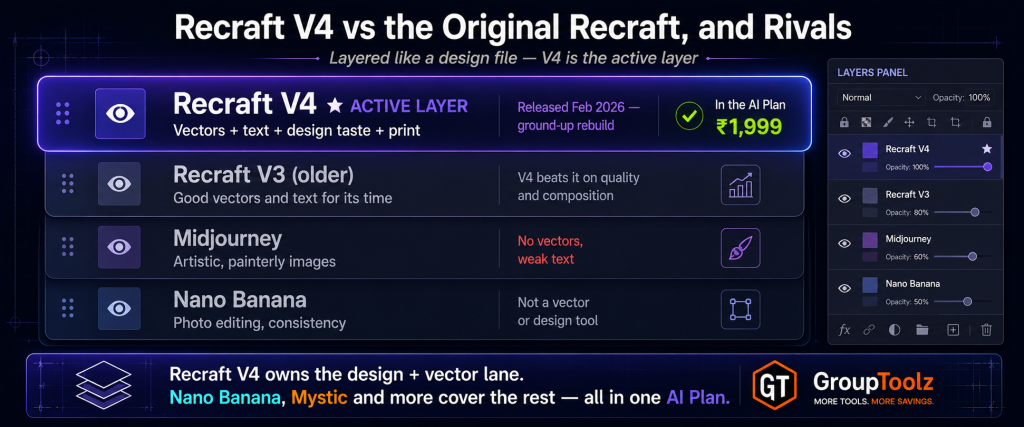
Recraft V4 is a big step up from the original Recraft and V3, it’s a ground-up rebuild with better composition, sharper detail and stronger design sense. Against rivals, the difference is clearer still: Midjourney makes beautiful art but can’t do vectors or reliable text, and photo models like Nano Banana are brilliant at editing but aren’t design or vector tools at all. Recraft V4 owns the design and vector lane. And the best part of a Recraft V4 group buy through the AI Plan is that you don’t have to pick, you get Recraft V4 for design and vectors, plus Nano Banana, Mystic and the rest for photos and edits, all in one plan.
Group Buy vs Buying Recraft Direct
| What matters | Buying Direct | Recraft V4 Group Buy |
|---|---|---|
| Price | Recraft plan, USD | In AI Plan, ₹1,999 |
| Billing | USD, card | Rupees, UPI |
| Other AI tools | Recraft only | 40+ tools included |
| Other image models | Separate | Nano Banana, Mystic, Flux 2 too |
| Auto-renewal | Yes, bills your card | No auto-renewal |
| Support | Standard | WhatsApp, Indian hours |
| Bottom line | One tool, in dollars | Recraft V4 + 40 tools, in rupees |
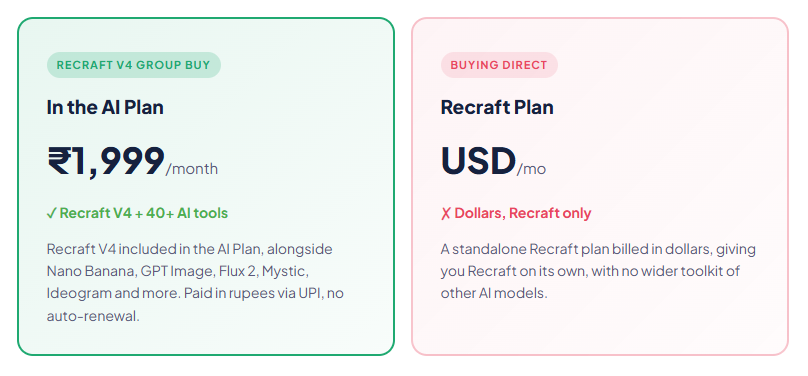
Why Getting Recraft V4 in the AI Plan Makes Sense
You could buy Recraft directly, but here’s why getting it through the AI Plan group buy is the smarter move for most people. First, it’s in rupees. You pay ₹1,999 through a UPI app instead of putting a dollar charge on a card and eating the forex. For Indian creators, that alone removes a real hassle.
Second, and bigger, you get far more than just Recraft V4. The AI Plan bundles 40-plus AI tools, so the same payment that gets you Recraft V4 also gets you the other top image models, Nano Banana for editing, GPT Image for overall quality, Mystic for photorealism, Ideogram for extra typography, plus writing tools, video tools and more. A modern creator uses several models for different jobs, and a Recraft V4 group buy that comes bundled with the whole stack is simply better value than a single-tool subscription. That’s the real draw of a Recraft V4 group buy for anyone doing design work.
| The design model plus every other one, in one plan Worth highlighting: no single AI image model wins everything. Recraft V4 is the design and vector champion. Nano Banana is the editing king. Mystic leads photorealism. GPT Image tops overall quality. Ideogram is strong on text too. The AI Plan includes all of them, so you use Recraft V4 for logos, vectors and design work, then switch to another model when a job needs photos or edits. A Recraft V4 group buy through the AI Plan gives you that whole lineup, which a standalone Recraft purchase can’t match. |
What You Can Make With Recraft V4
| Use case | Why Recraft V4 fits |
|---|---|
| Logos & icons | Editable SVG vectors that scale to any size without quality loss |
| Posters & signage | Clean, legible text rendering for print-ready designs |
| Brand assets | Cohesive, art-directed visuals for a consistent brand system |
| YouTube thumbnails | Sharp, readable text and design-quality composition |
| Packaging & merch | High-resolution, print-ready output at 300 DPI |
| Social graphics | On-brand images with text in the right ratio for each platform |
| Recraft V4, in the AI Plan ₹1,999 Recraft V4 + Nano Banana + GPT Image + Mystic + Ideogram + 35 more AI tools · one plan · billed in INR · no auto-renewal |
A Real Workflow With Recraft V4
Let me show you how Recraft V4 fits an actual job, because its strengths come together in design work. Say you’re launching a small coffee brand and you need a logo, a poster and a social graphic, all matching.
You’d start in Recraft V4 with the logo, prompting for a clean vector mark with your brand name in a specific font and colour. Because it outputs editable SVG, that logo scales from a tiny favicon to a huge banner without going blurry, and you can tweak it in a design tool. Then for the launch poster, you’d switch to Recraft V4 Pro for print quality, prompting a design with your headline text, which Recraft renders cleanly where other models would mangle it. Set the ratio to match your print size. For the social graphic, back to the faster Recraft V4, ratio set to 1:1 or 9:16, matching the poster’s style by uploading it as a reference image.
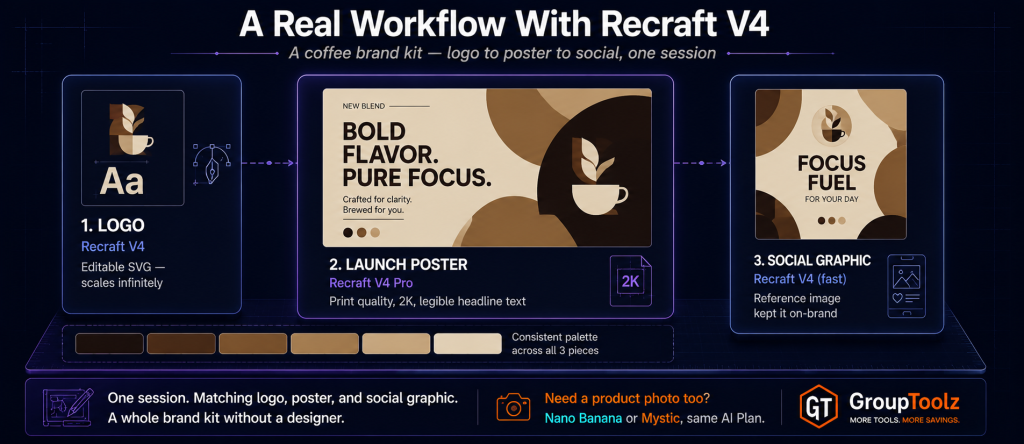
In one session you’ve made a matching logo, poster and social graphic, all design-quality, all with clean text, the logo as a scalable vector. That’s a whole brand kit without a designer. And because a Recraft V4 group buy gives you the tool inside the AI Plan, you can jump to Nano Banana to edit a product photo, or Mystic for a lifestyle shot, in the same plan. That’s a complete design and image workflow at a rupee price.
| Play to Recraft V4’s strengths, use the plan for the rest The smart way to work is to route each job to the model that’s best at it. Send your logos, icons, vectors, posters and anything with text to Recraft V4, that’s its home turf. For editing an existing photo or keeping a character consistent, switch to Nano Banana, also in the AI Plan. For photorealistic lifestyle shots, Mystic. A Recraft V4 group buy through the AI Plan means the right tool is always there for the design in front of you. |
Who a Recraft V4 Group Buy Is For
| You are a… | And a Recraft V4 group buy gives you… |
|---|---|
| Designer | Editable vectors, clean text and design-quality output, plus the wider toolkit |
| Brand / marketer | Logos, posters and brand assets that look art-directed |
| Small business owner | A whole brand kit without hiring a designer |
| YouTuber | Thumbnails with sharp, readable text and strong composition |
| Content creator | On-brand social graphics with proper typography |
| Student / learner | A pro design AI model to create with at a rupee price |
Tips for Getting Great Results
Since a Recraft V4 group buy gives you access to the tool, here’s how to get the most from it once you’re in.
Spell out your text exactly
Recraft V4’s big strength is text, so put the exact words you want in your prompt, in quotes if it helps. Name the font style too, “bold sans-serif,” “retro script,” and it’ll render it cleanly into the design.
Ask for vectors when you need to scale
For logos and icons that need to work at any size, lean on Recraft’s vector output. A vector logo stays crisp from a business card to a billboard, and you can edit it later.
Use Pro for anything going to print
If a design is heading to print, a poster, packaging, merch, use Recraft V4 Pro for its higher resolution. The extra detail matters at 300 DPI.
Upload a reference to stay on-brand
If you’re building a set of matching assets, upload one as a reference image so the next generation follows the same style, colours and feel. It keeps a campaign consistent.
The Bottom Line
Here’s where I land. Recraft V4 is one of the most useful AI tools of 2026 for anyone doing design, because it does the two things nearly every other model can’t: real editable vectors and clean text. Add its design taste, art-directed composition instead of generic stock, and two models for speed and print quality, and it’s a proper production tool, not a toy. The friction was always access, buying it direct means Recraft’s own plans in dollars.
That’s exactly what a Recraft V4 group buy solves. Through GroupToolz, Recraft V4 comes inside the AI Plan for ₹1,999 a month, in rupees, with no auto-renewal, and bundled with Nano Banana, GPT Image, Mystic and 35-plus other AI tools. You get the designer’s AI model plus an entire creative toolkit for one rupee price. For any Indian designer, marketer, business or creator who wants design-quality images and vectors, a Recraft V4 group buy through the AI Plan is the smart way to get it in 2026.
Questions People Actually Ask
What’s a Recraft V4 group buy, in plain terms?
It’s shared access to Recraft V4 through a provider, so you don’t buy a standalone Recraft plan in dollars. Through GroupToolz, a Recraft V4 group buy gets you the tool inside the AI Plan for ₹1,999 a month, paid in rupees, alongside 40+ other AI tools. So you get Recraft V4 plus an entire AI toolkit in one plan, rather than just one model billed in USD.
What is Recraft V4 good at?
Recraft V4, from Recraft, is the design-taste AI model. It’s the only major model that makes editable SVG vector files from a prompt, and it renders text cleanly for logos, posters and signage where others fail. It’s also strong at print-ready output and art-directed composition. A Recraft V4 group buy gets all of that in the AI Plan.
How do I use Recraft V4?
Write a detailed prompt describing your design and any text, choose a model (Recraft V4 for speed or Recraft V4 Pro for quality), set the aspect ratio, optionally add one reference image for style, then generate. Your design renders in 10-60 seconds, ready to use with no cleanup. A Recraft V4 group buy through the AI Plan gives you this full workflow.
How is Recraft V4 better than the original Recraft?
Recraft V4, released in February 2026, is a ground-up rebuild of the older Recraft and V3. It brings better composition, sharper detail, stronger design taste and improved text rendering. It’s a clear step up in quality. A Recraft group buy through the AI Plan gets you this latest version, plus 40+ other tools, in rupees.
Is Recraft V4 included in the GroupToolz AI Plan?
Yes. Recraft V4 is one of the tools in the GroupToolz AI Plan at ₹1,999 a month, with both Recraft V4 and Recraft V4 Pro models. You don’t buy it separately, it’s in the plan alongside Nano Banana, GPT Image, Mystic, Ideogram and more. That’s the appeal of a Recraft V4 group buy through GroupToolz.
Can I pay in Indian Rupees?
Yes. The Recraft V4 group buy through GroupToolz is part of the AI Plan at ₹1,999, billed in INR via Razorpay and UPI apps like PhonePe, GPay and Paytm. There’s no USD billing and no international card, unlike buying Recraft directly in dollars. The AI Plan also doesn’t auto-renew.
Comments