
Complete Backlink Audit Using Ahrefs & Majestic 2026 — The Ultimate Group Buy Guide
A complete backlink audit using Ahrefs and Majestic in 2026 is one of the most important technical SEO tasks any Indian blogger, freelancer, or agency can run on a website. Toxic backlinks suppress rankings. Lost backlinks reduce authority. Competitor backlink gaps reveal untapped link building opportunities. Running a backlink audit using Ahrefs and Majestic together covers all three of these areas with the most accurate link data available in any SEO tool — at a fraction of retail cost through GroupToolz Ultimate at ₹699/month.
This guide covers the complete backlink audit process step by step: what each tool contributes to the audit, how to identify toxic links worth disavowing, how to find lost links worth reclaiming, how to benchmark your link profile against competitors, and how to build a link acquisition strategy from the audit results. Both Ahrefs and Majestic are available on GroupToolz Ultimate at ₹699/month.
Backlink Audit Using Ahrefs Majestic — Why You Need Both Tools
The most common question about running a backlink audit using Ahrefs and Majestic is whether both tools are necessary or whether one covers the other. They are genuinely complementary rather than duplicative — each has specific strengths that make the combined audit more accurate than either alone.
| Feature | Ahrefs | Majestic |
|---|---|---|
| Backlink Database Size | ✅ Largest available | ✅ Second largest |
| Index Freshness | ✅ Updated continuously | ✅ Fresh + Historic index |
| Domain Authority Metric | Domain Rating (DR) | Trust Flow (TF) + Citation Flow (CF) |
| Toxic Link Detection | ✅ Spam score indicators | ✅ Trust Flow ratio analysis |
| Historic Backlink Data | ⚠️ Limited historic | ✅ Historic index going back years |
| Link Context Analysis | ✅ Anchor text + surrounding text | ✅ Topical Trust Flow |
| Competitor Link Analysis | ✅ Strongest feature | ✅ Good for niche authority |
| Link Velocity Tracking | ✅ New and lost links graph | ✅ Link profile growth chart |
| Topical Relevance | ⚠️ Category-level only | ✅ Topical Trust Flow by category |
| Available on GroupToolz | ✅ Ultimate ₹699/mo | ✅ Ultimate ₹699/mo |
The backlink audit using Ahrefs Majestic combination is the gold standard for link profile analysis in the Indian SEO market — no single tool covers everything both provide together.
Ahrefs dominates on database size, freshness, and competitive backlink analysis. Majestic dominates on Trust Flow metrics, historic index depth, and Topical Trust Flow which shows the thematic relevance of your link profile. Running a backlink audit using Ahrefs and Majestic together means neither tool’s blind spots affect the audit accuracy — links missed by one index are caught by the other.
Topical relevance verification is a step that most Indian SEO professionals skip entirely — adding it to the backlink audit using Ahrefs Majestic workflow takes 5 minutes and reveals link quality patterns no other metric captures.
What a Complete Backlink Audit Covers
| Audit Section | What It Checks | Primary Tool |
|---|---|---|
| Link Profile Overview | Total backlinks, referring domains, DR/TF scores | Ahrefs + Majestic |
| Toxic Link Identification | Spammy, low-quality, irrelevant links to disavow | Majestic TF + Ahrefs spam |
| Lost Link Recovery | Links that dropped — reclaim or redirect | Ahrefs Lost Links |
| Anchor Text Analysis | Over-optimised or unnatural anchor distribution | Ahrefs + Majestic |
| Competitor Benchmarking | Link gap vs top-ranking competitors | Ahrefs Link Intersect |
| Link Velocity Analysis | Unusual spikes that may trigger penalties | Ahrefs New Links graph |
| Topical Relevance | Whether your links come from relevant niche sites | Majestic Topical TF |
| Link Opportunity Mining | Sites linking to competitors but not you | Ahrefs Link Intersect |
Step 1 — Run Your Link Profile Overview in Ahrefs
Begin the backlink audit using Ahrefs and Majestic by opening Ahrefs Site Explorer and entering your domain. The Site Overview dashboard gives you the top-level metrics to establish your current link profile baseline before going deeper.
Step 1 sets the baseline numbers you’ll track every month — the backlink audit using Ahrefs Majestic process is only measurable if you record starting metrics before making any changes.
Key Metrics to Record at Baseline
- Domain Rating (DR): Ahrefs’ measure of your domain’s overall backlink authority on a 0–100 scale. Record this and check it monthly — consistent DR growth indicates a healthy link building trajectory.
- Referring Domains: Total number of unique domains linking to your site. This is more meaningful than total backlinks — 500 links from 500 different domains is significantly more valuable than 500 links from 5 domains.
- Total Backlinks: The raw count of all inbound links. Compare this against referring domains — a very high backlink count relative to referring domains suggests a few sites are linking excessively, which can look unnatural.
- New vs Lost Links: The 30-day new and lost links graph shows whether your link profile is growing, stable, or declining. Consistent link losses without corresponding gains indicate a problem worth investigating in the next audit steps.
Recording these four baseline metrics is the first concrete output of the backlink audit using Ahrefs Majestic workflow and takes under 5 minutes once you know where to look.
Check Link Velocity for Unnatural Spikes
In Ahrefs Site Explorer, navigate to the Referring Domains graph set to All Time view. Sudden spikes in referring domains — gaining 50+ new domains in a single week with no corresponding content publication — are a warning sign in any backlink audit using Ahrefs and Majestic. These spikes often indicate purchased link packages or spam link campaigns that may have been run by a previous site owner or SEO agency and need to be investigated and potentially disavowed.
Step 2 — Run Your Link Profile Overview in Majestic
After establishing the Ahrefs baseline, open Majestic and enter the same domain. The Majestic overview gives you Trust Flow and Citation Flow — two metrics unique to Majestic that add dimensions to the backlink audit using Ahrefs and Majestic that DR alone doesn’t capture.
The Majestic overview is what separates a basic Ahrefs-only analysis from a true backlink audit using Ahrefs Majestic — Trust Flow data adds a quality layer that DR alone cannot provide.
Understanding Trust Flow vs Citation Flow
Trust Flow (TF) measures the quality of links pointing to your site — specifically how many of your links originate from sites Majestic has identified as trustworthy seed sites. High Trust Flow indicates your links come from genuinely reputable sources.
Citation Flow (CF) measures the quantity of links pointing to your site — how many total links you have regardless of quality. A site with a very high CF and low TF has a lot of links but most come from low-quality sources. This TF/CF ratio is one of the most useful single metrics in a backlink audit using Ahrefs and Majestic for identifying overall link profile health.
A healthy link profile has a TF/CF ratio of 0.5 or above — Trust Flow should be at least half of Citation Flow. A ratio below 0.3 indicates a link profile dominated by low-quality links and warrants deeper toxic link investigation in Step 4.
A TF/CF ratio below 0.3 is the single clearest red flag in any backlink audit using Ahrefs Majestic — it tells you immediately that a deeper toxic link investigation is needed before anything else.
Topical Trust Flow Analysis
Majestic’s Topical Trust Flow is a unique feature with no equivalent in Ahrefs. It categorises your backlinks by the topical category of the linking site and shows which topics your link profile is associated with. For the backlink audit using Ahrefs and Majestic, check whether your primary Topical Trust Flow categories match your site’s actual topic.
An SEO blog should have its highest Topical Trust Flow in the Computers/Internet/SEO category. If the highest Topical TF categories are unrelated to your niche — such as Games or Shopping — it indicates your links are coming from topically irrelevant sites, which reduces their ranking value and flags potential quality issues in the audit.
Step 3 — Analyse Anchor Text Distribution
Anchor text analysis is a critical stage in any backlink audit using Ahrefs and Majestic because over-optimised anchor text — too many links with the exact same keyword anchor — is one of the clearest signals of manipulative link building that Google’s Penguin algorithm penalises.
Anchor text analysis is where many Indian sites fail the backlink audit using Ahrefs Majestic test — over-optimised anchor profiles from old guest posting campaigns are still suppressing rankings years later.
Check Anchor Text in Ahrefs
In Ahrefs Site Explorer, navigate to Anchors. This shows every anchor text variation used in links pointing to your site, along with the number of referring domains using each anchor. A natural link profile has a distribution roughly like this:
- Branded anchors (your domain name, brand name): 30–40% of links
- Naked URL anchors (yourdomain.com): 15–25% of links
- Generic anchors (click here, read more, this article): 10–20% of links
- Partial match keyword anchors (guide to keyword research): 10–15% of links
- Exact match keyword anchors (best SEO tools): 5–10% of links maximum
If exact match keyword anchors exceed 15–20% of your referring domains in the backlink audit using Ahrefs and Majestic, this is a warning signal. Document the specific keyword anchors that are over-represented — these anchor texts need to be diluted through new link acquisition with varied anchors rather than disavowed, since the links themselves may be legitimate even if the anchor pattern looks unnatural.
Cross-Reference Anchor Text in Majestic
Run the same anchor text analysis in Majestic’s Anchor Text report. Majestic sometimes shows anchor text from links not in Ahrefs’ index and vice versa. Cross-referencing both reports gives the most complete anchor text picture available in any backlink audit using Ahrefs and Majestic workflow. Any anchor pattern that appears concerning in both tools independently has double validation and should be prioritised in the audit action plan.
Cross-referencing anchor text in both tools is what makes the backlink audit using Ahrefs Majestic methodology more reliable than running either tool independently.
Step 4 — Identify and Evaluate Toxic Links
Toxic link identification is the most time-intensive part of the backlink audit using Ahrefs and Majestic but also the most directly impactful for sites that have received spam links or purchased links in the past. The goal is not to disavow every low-quality link — most of those Google ignores automatically. The goal is to identify patterns of clearly manipulative links that may be actively suppressing your rankings.
Toxic link identification is the stage of the backlink audit using Ahrefs Majestic process that directly impacts ranking recovery for sites that received spam links from previous SEO campaigns.
Toxic Link Indicators in Ahrefs
In Ahrefs Site Explorer, navigate to Backlinks and apply these filters to find potential toxic links:
- DR filter 0–10: Links from domains with very low Domain Rating — most legitimate sites have DR above 10
- Dofollow only: Nofollow links from low-quality sites don’t pass authority so they’re less of a concern
- Platform = blog network / forum / link directory: These platform types are commonly used for spam link building
- Exact match keyword anchors: Filter for links with your target keywords as exact match anchors on DR 0–20 sites
For each potentially toxic link identified in the backlink audit using Ahrefs and Majestic, manually visit the linking page. A page that doesn’t load, shows only links with no real content, is in a completely unrelated language, or appears to be a copied/scraped content page is a genuine spam signal worth adding to a disavow list.
Using Majestic Trust Flow to Identify Toxic Links
In Majestic, export your full backlink list and filter by Trust Flow below 5. Sites with Trust Flow below 5 are in the bottom tier of Majestic’s quality assessment. Cross-reference this list with the Ahrefs low-DR filter results. Links appearing on both low-TF (Majestic) and low-DR (Ahrefs) lists have double-tool validation as low-quality — these are the highest-priority disavow candidates in any backlink audit using Ahrefs and Majestic.
Double-tool validation is what makes the backlink audit using Ahrefs Majestic disavow list defensible — links flagged by both tools independently are the only ones worth submitting to Google’s disavow tool.
Building the Disavow File
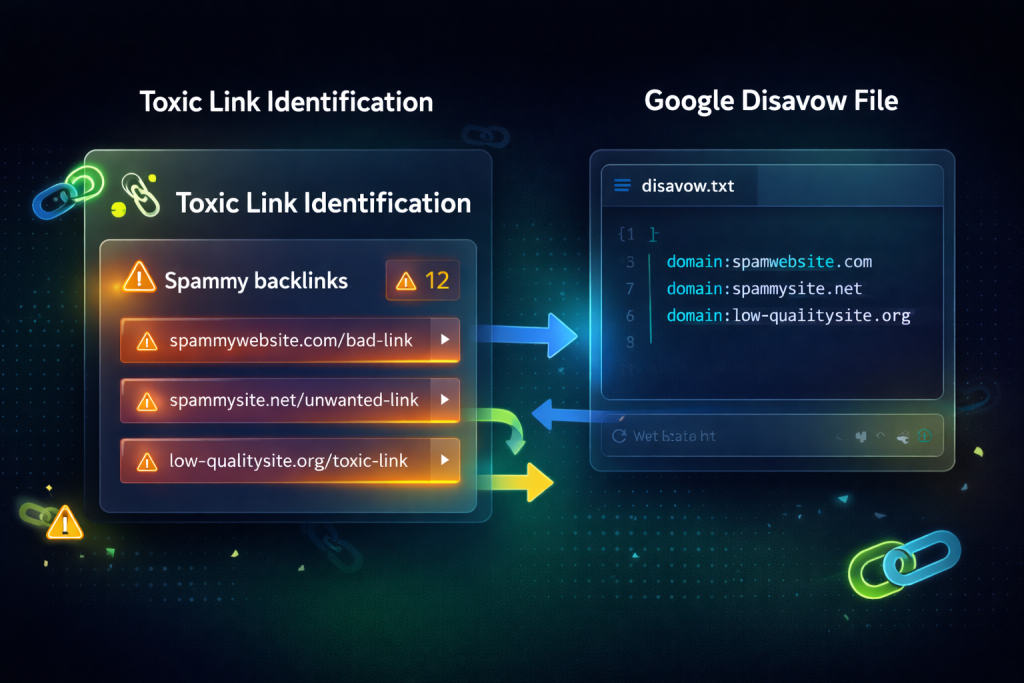
After identifying toxic links, compile a disavow file for Google Search Console. The disavow file format requires one domain or URL per line:
- Use domain-level disavow (domain:spamsite.com) for sites where multiple spam links come from the same domain
- Use URL-level disavow for isolated spam pages on otherwise legitimate domains
- Only disavow links you’re confident are manipulative — over-disavowing legitimate low-authority links removes real equity from your profile
- Submit the completed disavow file in Google Search Console under Links → Disavow Links
Important caveat for the backlink audit using Ahrefs and Majestic: Google has become significantly better at ignoring low-quality links automatically since the Penguin algorithm was integrated into the core algorithm in 2016. Disavowing is most impactful for sites that received large-scale spam link packages or were subject to negative SEO attacks — not for sites with a few natural low-quality links accumulated over time.
Step 5 — Find and Recover Lost Links
Lost link recovery is one of the highest-ROI actions in a backlink audit using Ahrefs and Majestic because you’re reclaiming link equity that already existed rather than earning new links from scratch. A lost link from a high-DR site represents a tangible authority loss that can be recovered with the right outreach.
Lost link recovery is the highest-ROI action item produced by any backlink audit using Ahrefs Majestic — reclaiming existing equity is always faster than earning new links from scratch.
Find Lost Links in Ahrefs
In Ahrefs Site Explorer, navigate to Backlinks and filter by Lost links, set to the last 90 days. Sort by DR of the linking domain — highest first. Lost links from high-DR domains are the highest-priority recovery targets. For each lost link from a DR 40+ site, investigate why the link was lost:
- Linking page no longer exists (404): The page linking to you has been deleted. Contact the site owner and suggest an alternative page to link to, or ask them to update the link to a different URL on your site.
- Link was removed from the page: The linking page still exists but your link was removed. This sometimes happens during content updates. Send a friendly outreach asking whether the removal was intentional and if there’s anything you can do to regain the mention.
- Your page returned a 404 error: Your URL changed or the page was deleted, breaking the link. Fix the 301 redirect from the old URL to the new URL — this recovers the link without any outreach needed.
Find Unlinked Brand Mentions
Beyond lost links, the backlink audit using Ahrefs and Majestic should include a search for unlinked brand mentions — sites that mention your brand or site name without linking to you. These are the easiest link building wins because the site already knows and references you. Use Ahrefs Content Explorer to search for your brand name and filter results to show only pages that don’t link to your domain. Email each site asking them to add a link to the existing mention — conversion rates on these outreach emails are significantly higher than cold link requests.
Unlinked brand mention outreach is the warmest link building tactic in the post backlink audit using Ahrefs Majestic action plan — conversion rates are 3–5x higher than cold outreach.
Step 6 — Competitor Backlink Gap Analysis With Ahrefs
The competitor backlink analysis stage of the backlink audit using Ahrefs and Majestic transforms the audit from a defensive exercise into an offensive link building strategy. By identifying sites that link to your competitors but not to you, you build a qualified outreach target list of sites already proven to link in your niche.
The competitor gap analysis stage transforms the backlink audit using Ahrefs Majestic from a defensive report into an offensive outreach strategy with a ready-made target list.
Ahrefs Link Intersect Tool
In Ahrefs, go to Link Intersect under the More dropdown. Enter 3–5 competitor domains in the top fields and your domain in the “but doesn’t link to” field. Ahrefs will show every domain that links to your competitors but not to you.
Filter by DR above 30 and sort by the number of competitors the site links to. Sites linking to 3 or more of your competitors are the highest-priority outreach targets — they have a clear pattern of linking to content in your niche and are much more likely to respond to a relevant outreach request than cold prospects with no existing niche connection.
Verify Link Quality With Majestic
For the top 50–100 sites identified in Ahrefs Link Intersect, run a bulk Trust Flow check in Majestic. Prioritise outreach targets with Trust Flow above 20 — these are sites where a link would provide meaningful authority transfer. Sites with Trust Flow below 10 despite appearing on your competitor’s link profile may be links the competitor acquired through spam or paid methods — not worth pursuing through legitimate outreach.
The combination of Ahrefs Link Intersect for discovery and Majestic Trust Flow for quality verification is the most efficient link prospecting workflow available in any backlink audit using Ahrefs and Majestic process.
Combining Ahrefs Link Intersect with Majestic Trust Flow verification is the defining technique of the backlink audit using Ahrefs Majestic competitor analysis stage — discovery plus quality check in two steps.
Step 7 — Check Competitor DR and TF Benchmarks
Understanding how your link profile compares to competitors is essential context for interpreting your backlink audit using Ahrefs and Majestic results. A DR of 35 might be strong in one niche and weak in another — the only way to know is to benchmark against the sites you’re competing with.
Without competitor benchmarking, the backlink audit using Ahrefs Majestic metrics have no context — a DR of 35 means nothing until you know your top-ranking competitors sit at DR 55.
Build a Competitor Link Benchmark Table
For each of your top 5 SEO competitors, record these metrics from Ahrefs and Majestic:
- Ahrefs Domain Rating
- Ahrefs Referring Domains
- Majestic Trust Flow
- Majestic Citation Flow
- TF/CF Ratio
- Primary Topical Trust Flow category
Compare your metrics against this table. The gaps in DR and TF between your profile and the top-ranking competitors for your target keywords tell you how much link building work is required to become competitive for those keywords. A competitor ranking in position 1 with DR 55 when your site is DR 28 indicates a meaningful authority gap that requires a sustained link building program — not just content improvements — to close.
Step 8 — Best Performing Pages Backlink Analysis
A complete backlink audit using Ahrefs and Majestic should identify which pages on your site are earning the most links and which important pages have no links at all. This page-level analysis guides internal linking and content promotion decisions beyond the domain-level metrics reviewed earlier.
Page-level link analysis is the final diagnostic layer of the backlink audit using Ahrefs Majestic process — it tells you where to direct link building effort for maximum ranking impact.
Best Pages by Links in Ahrefs
In Ahrefs Site Explorer, navigate to Best by Links. This shows your pages sorted by referring domains — the pages earning the most backlinks. Check whether your top-linked pages are also your highest-traffic pages. If a page earns many links but drives little traffic, it may be targeting keywords with low search volume. If it earns few links but drives significant traffic, it’s a candidate for active link building — increasing its authority will directly improve rankings for its current traffic-driving keywords.
Find Pages That Need Links
In Ahrefs, navigate to Best by Organic Traffic and cross-reference with the Best by Links report. Pages ranking in positions 3–10 for valuable keywords but with very few referring domains are your highest-priority link building targets — they’re already ranking on merit, and adding authoritative backlinks would push them to positions 1–3 where click-through rates are dramatically higher.
Step 9 — Build Your Post-Audit Link Building Plan
The backlink audit using Ahrefs and Majestic should produce a concrete action plan, not just a report. Here’s how to turn audit findings into a prioritised link building strategy:
Every backlink audit using Ahrefs Majestic should end with a concrete 4-priority action plan — audits that produce reports without actions produce no ranking improvements.
Priority 1 — Fix 301 Redirects for Lost Links
Lost links caused by URL changes with no redirect in place are the fastest wins in the post-audit plan. Set up 301 redirects from all old URLs to the correct new URLs and the link equity is recovered without any outreach. Check this in Google Search Console alongside the Ahrefs lost links data — crawl errors on URLs that previously had significant backlinks are immediate redirect priorities.
Priority 2 — Recover High-DR Lost Links
From the Ahrefs lost links analysis, reach out to recover links from DR 40+ sites where the loss was due to page removal or link removal rather than URL errors. These outreach emails have a genuine value proposition — the linking site previously considered your content worth linking to — which makes them significantly warmer than cold link requests.
Priority 3 — Outreach to Link Intersect Prospects
Work through the Ahrefs Link Intersect list filtered by Majestic Trust Flow above 20. Send personalised outreach emails to each prospect with a specific reason why your content is worth linking to — reference a specific piece of content on your site that complements the content on their page. Generic outreach emails asking for links produce low response rates. Outreach that demonstrates you’ve read their content and can offer specific value converts at 3–5x higher rates.
Priority 4 — Claim Unlinked Mentions
Process the unlinked brand mention list from Ahrefs Content Explorer. These are the warmest possible outreach targets — the site already references you, which means they consider you a relevant resource. A simple, friendly email asking them to link the existing mention to your site converts at 20–30% in most niches — the highest conversion rate of any link building tactic in the post-audit plan.
Backlink Audit Using Ahrefs Majestic — Complete Audit Checklist
- ☑ Ahrefs Site Overview — DR, referring domains, total backlinks recorded
- ☑ Majestic Site Overview — TF, CF, TF/CF ratio recorded
- ☑ Link velocity graph checked for unnatural spikes
- ☑ Topical Trust Flow categories aligned with site topic
- ☑ Anchor text distribution checked — exact match below 15%
- ☑ Toxic links identified using DR below 10 and TF below 5 cross-filter
- ☑ Disavow file compiled and submitted to Google Search Console
- ☑ Lost links reviewed — 301 redirects fixed
- ☑ High-DR lost link outreach list compiled
- ☑ Unlinked brand mentions identified in Ahrefs Content Explorer
- ☑ Ahrefs Link Intersect run against 3–5 competitors
- ☑ Link Intersect prospects quality-checked in Majestic (TF above 20)
- ☑ Competitor DR and TF benchmark table completed
- ☑ Best pages by links cross-referenced with best pages by traffic
- ☑ Post-audit link building priority list compiled and assigned
How Often to Run a Backlink Audit Using Ahrefs and Majestic
| Audit Frequency | What to Check | Time Required |
|---|---|---|
| Monthly | New and lost links, DR/TF movement, anchor text changes | 30–45 minutes |
| Quarterly | Full toxic link review, competitor benchmark update, Link Intersect refresh | 3–4 hours |
| Annually | Complete audit — all 9 steps above | Full day |
| After traffic drop | Emergency audit — toxic links, anchor text, lost links first | 2–3 hours |
| Before new campaign | Baseline audit to measure campaign impact accurately | 2–3 hours |
Backlink Audit Using Ahrefs Majestic — Cost on GroupToolz vs Retail
| Tool | Retail Price/Month | INR Equivalent |
|---|---|---|
| Ahrefs Standard | $249 | ~₹20,750 |
| Majestic Pro | $49.99 | ~₹4,165 |
| SEMrush Pro (for competitor analysis) | $139.95 | ~₹11,650 |
| BuzzSumo (for content analysis) | $199 | ~₹16,577 |
| Full Audit Stack Retail | $637.94/mo | ~₹53,142/mo |
| GroupToolz Ultimate | ₹699/mo | |
| Monthly Saving | ~₹52,443/mo |
The complete backlink audit using Ahrefs and Majestic tool stack costs over ₹53,000/month at retail. GroupToolz Ultimate at ₹699/month includes Ahrefs, Majestic, SEMrush, BuzzSumo, and 96+ more tools. The annual saving is over ₹6.2 lakh — making professional-grade backlink auditing accessible to any Indian SEO professional regardless of budget.
Final Verdict — Backlink Audit Using Ahrefs and Majestic 2026
Running a complete backlink audit using Ahrefs and Majestic is the most comprehensive approach to link profile management available for Indian SEO professionals in 2026. Ahrefs provides the largest backlink database, the most accurate DR metrics, the best lost link tracking, and the most powerful Link Intersect tool for competitor gap analysis. Majestic provides Trust Flow and Citation Flow metrics, historic index data, and Topical Trust Flow that shows whether your links come from topically relevant sources.
Together they cover every dimension of backlink health: toxic link identification, lost link recovery, anchor text analysis, competitor benchmarking, topical relevance verification, and link opportunity mining. The 9-step workflow and complete checklist in this guide gives you a repeatable backlink audit process that produces actionable outputs every time it’s run.
Both tools are available on GroupToolz Ultimate at ₹699/month alongside SEMrush, SpyFu, BuzzSumo, Similarweb, and 95+ more tools. Running a professional backlink audit using Ahrefs and Majestic no longer requires a ₹53,000/month tool budget. It requires ₹699/month and this guide.
Frequently Asked Questions — Backlink Audit Using Ahrefs Majestic
Why use both Ahrefs and Majestic for a backlink audit?
Ahrefs and Majestic have different backlink indexes and different authority metrics. Ahrefs’ Domain Rating and Majestic’s Trust Flow measure link quality from different methodological angles. Links missed by one tool are often found by the other. Running a backlink audit using Ahrefs and Majestic together produces a more complete and accurate picture of your link profile than either tool alone, at no additional cost on GroupToolz Ultimate at ₹699/month.
What is a good Trust Flow score in Majestic?
Trust Flow above 20 is generally considered a good score for a site in a non-commercial niche. Commercially competitive niches typically see top-ranking sites with Trust Flow of 30–50+. More important than the absolute score is the TF/CF ratio — a healthy link profile has Trust Flow at least 50% of Citation Flow. A ratio below 0.3 indicates a link profile dominated by low-quality links and warrants deeper investigation in the toxic link stage of the backlink audit using Ahrefs and Majestic.
How do I know which links to disavow?
Disavow links that are clearly manipulative rather than naturally low-quality. Indicators of disavow-worthy links include: DR 0–5 sites with exact match keyword anchors, links from sites in completely unrelated languages or niches with no content relevance, links from pages showing only link lists with no real content, and links acquired in bulk patterns that arrived in short spikes. Single low-quality links on otherwise normal sites do not need disavowing — Google ignores these automatically in the backlink audit using Ahrefs and Majestic era.
How long does a backlink audit take?
A complete backlink audit using Ahrefs and Majestic following the 9-step process takes a full day for a site with a large link profile (1,000+ referring domains). For a smaller site (under 200 referring domains), the audit takes 3–4 hours. Monthly lightweight audits covering only new/lost links and DR/TF changes take 30–45 minutes once the full audit baseline is established.
Are Ahrefs and Majestic available on group buy in India?
Yes. Both Ahrefs (50 credits/day) and Majestic are included on GroupToolz Ultimate at ₹699/month. Ahrefs Standard at retail costs $249/month (~₹20,750). Majestic Pro costs $49.99/month (~₹4,165). Getting both tools for a complete backlink audit using Ahrefs and Majestic via GroupToolz saves over ₹24,000/month compared to direct subscriptions.
What is Topical Trust Flow and why does it matter for backlink audits?
Topical Trust Flow is a Majestic metric that categorises your backlinks by the topic of the linking site. If your SEO blog has its highest Topical Trust Flow in an unrelated category like Entertainment or Shopping, it means most of your links come from topically irrelevant sites. Google weights topically relevant links more heavily for niche-specific rankings. The backlink audit using Ahrefs and Majestic should confirm that your primary Topical Trust Flow category matches your site’s actual niche — and flag any significant mismatch for investigation.
Looking for more SEO tutorials and backlink guides? Find more such blogs at GroupToolz →
Comments