
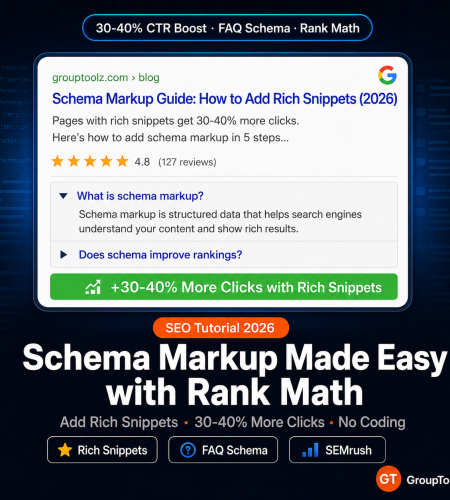
Pages with rich snippets get 30-40% more clicks. That is not a small edge. I will walk you through how to add schema to WordPress using Rank Math, and how to test everything with GroupToolz tools like SEMrush, Serpstat, Seobility, and Woorank. No coding. No JSON-LD editing. Just the steps.
By GroupToolz Team Updated: May 22, 2026
What is schema markup, really?
Schema is structured data you add to your pages so Google stops guessing what your content is about. Without it, Google reads your page and makes assumptions. With schema, you tell Google directly: this is a product with this price, this is a FAQ with these questions, this is a recipe that takes 30 minutes.
The payoff? Those star ratings next to search results, the FAQ dropdowns that expand right in the SERP, the product prices and stock status below a listing. All of that comes from structured data, and all of it makes your result look different from the ten blue links around it.
Now, Google has said schema is not a direct ranking factor. Fair enough. But here is what actually happens: enhanced listings boost your click-through rate by 30-40% (multiple studies back this up). Higher CTR tells Google your result is relevant. That feeds back into rankings over time. So while schema does not technically “rank” you higher, it does the thing that ranks you higher. Make of that what you will.
In 2026, with AI Overviews eating the top of many search results pages, a rich result with star ratings or FAQ dropdowns is one of the few ways to make a standard organic listing actually stand out. I think most SEOs underestimate how much this matters right now.
For the implementation side, Rank Math handles schema on WordPress. For testing and monitoring, GroupToolz tools like SEMrush, Serpstat, Seobility, and Woorank cover everything. This structured data SEO tutorial walks through both halves.
The 5 schema types every website needs
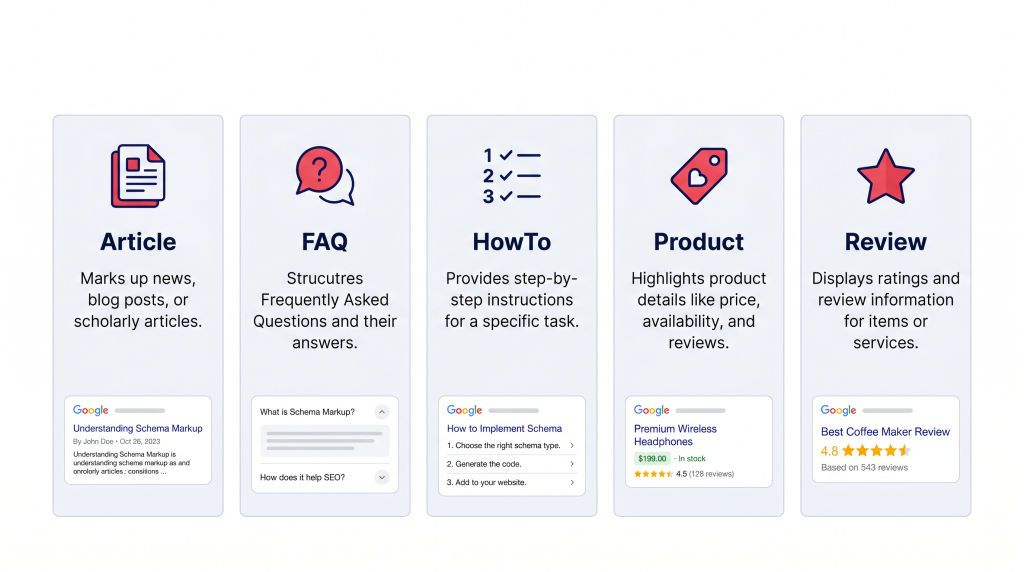
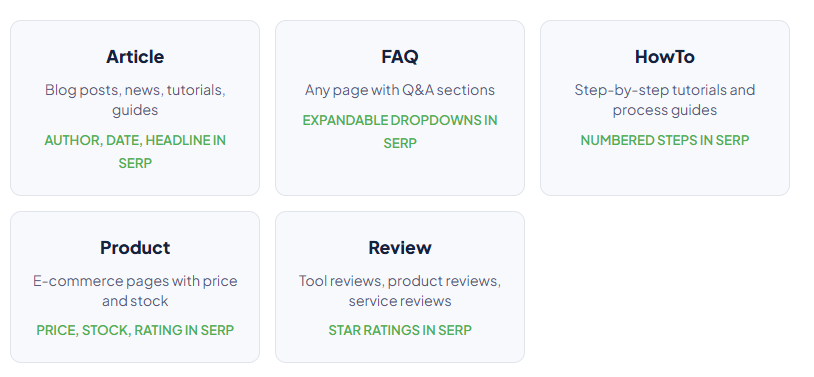
| Schema type | Use it on | What shows up in search | Rank Math setup |
|---|---|---|---|
| Article | Every blog post, tutorial, and news piece | Author name, publish date, headline, sometimes a thumbnail | Set as default for all posts in Rank Math > Titles & Meta > Posts |
| FAQ | Any page with a question-and-answer section | Expandable FAQ dropdowns right in the search result. Your listing takes up 3-5x normal space. | Add through Rank Math FAQ Block or Schema Generator |
| HowTo | Step-by-step tutorials, DIY content | Numbered steps visible in the SERP, with optional images per step | Rank Math Schema tab > Schema Generator > HowTo |
| Product | E-commerce product pages, SaaS pricing pages | Price, availability, rating, review count | Schema Generator > Product (fill in GTIN, price, currency) |
| Review | Tool reviews, book reviews, service reviews | Star rating (1-5) next to your result | Schema Generator > Review (must review a specific product, service, or book) |
| LocalBusiness | Local business sites, service area pages | Business name, address, phone, hours, map | Enable Local SEO module in Rank Math > Titles & Meta > Local SEO |
| Breadcrumb | Every page. Helps Google understand site structure. | Breadcrumb trail replaces the raw URL in search results | Auto-generated when Breadcrumb module is on |
| Why FAQ schema deserves special attention I keep coming back to this: FAQ schema is the single best schema type for most content sites. When Google shows your FAQ dropdowns, your listing takes up 3-5x the vertical space of a normal result. That pushes competitors down the page. I have seen pages ranking #3 with FAQ dropdowns get more clicks than the #1 result without them, just because of how much space the listing occupies. If you add only one schema type beyond Article, make it FAQ. |
Setting up Rank Math schema step by step
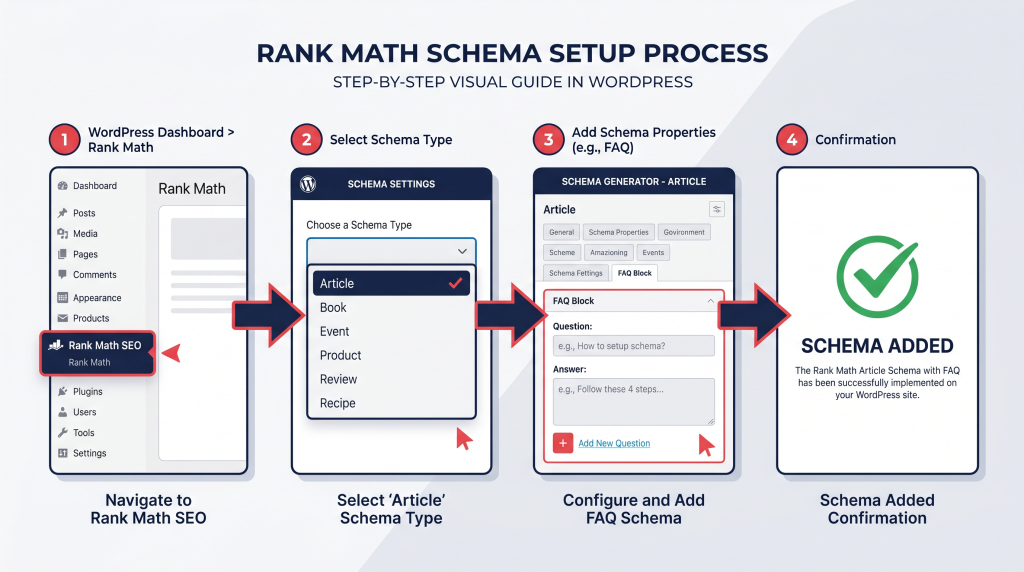
One-time setup (5 minutes)
Before you touch individual posts, set up the defaults. This way every new post gets Article schema automatically.
Step 1: WordPress Dashboard > Rank Math SEO > Dashboard. Make sure the “Schema (Structured Data)” module toggle is ON. If it is off, flip it on and save.
Step 2: Rank Math SEO > Titles & Meta > Posts. Find the “Schema Type” dropdown. Select “Article.” Every blog post now gets Article schema without you lifting a finger.
Step 3: Rank Math SEO > Titles & Meta > Pages. Set default schema to “WebPage” for informational pages. Product pages and landing pages get their own schema later.
Step 4: Go back to the Rank Math Dashboard and enable the Breadcrumb module. This auto-generates Breadcrumb schema for every page, so Google shows a clean navigation path instead of your raw URL.
Adding FAQ schema to a blog post
You will use this more than any other schema type. Here is how it works in the Gutenberg editor.
Step 1: Write your post normally. Add a “Frequently Asked Questions” section at the bottom with questions and answers as regular text.
Step 2: Click the Rank Math icon in the top-right toolbar to open the sidebar.
Step 3: Go to the Schema tab (the structured data icon). The default Article schema should already be there.
Step 4: Click “Schema Generator,” search for “FAQ,” click “Use.” A new FAQ form shows up next to your Article schema. Rank Math lets you stack multiple schema types on one page.
Step 5: Type each question and answer into the form. Important: these must match what is actually on your page. Google checks. If the schema says one thing and the page says another, Google rejects the schema.
Step 6: Save the post. The FAQ JSON-LD gets embedded in your page source automatically.
There is a faster method, too. Add a block in Gutenberg, search “FAQ by Rank Math,” and use that block. It creates the visible FAQ section and the schema at the same time from the same input. Less room for mismatches.
Adding Product schema to an e-commerce page
Step 1: Open the product page. Rank Math icon > Schema tab > Schema Generator.
Step 2: Search “Product,” click “Use.” Fill in the required fields (marked with red asterisks): Product Name, Description, SKU, Brand, Price, Currency (INR), Availability.
Step 3: If the product has reviews, add the Aggregate Rating fields: Rating Value (e.g., 4.5), Review Count (e.g., 127). This is what enables star ratings in search.
Step 4: Add GTIN (barcode) if you have it. Google gives preference to Product schema that includes GTIN because it validates the product identity. For digital products without a barcode, skip this field.
Adding HowTo schema to tutorials
Step 1: Open the tutorial > Rank Math > Schema tab > Schema Generator > search “HowTo” > Use.
Step 2: Fill in each step with a Step Name (short title) and Step Description (the actual instruction). You can also add a Step Image URL, and Google sometimes shows step images in search results.
Step 3: Add Total Time, Supply (materials needed), and Tool (tools required) if they apply. These show as extra metadata in the rich snippet.
Testing your schema markup: the GroupToolz workflow
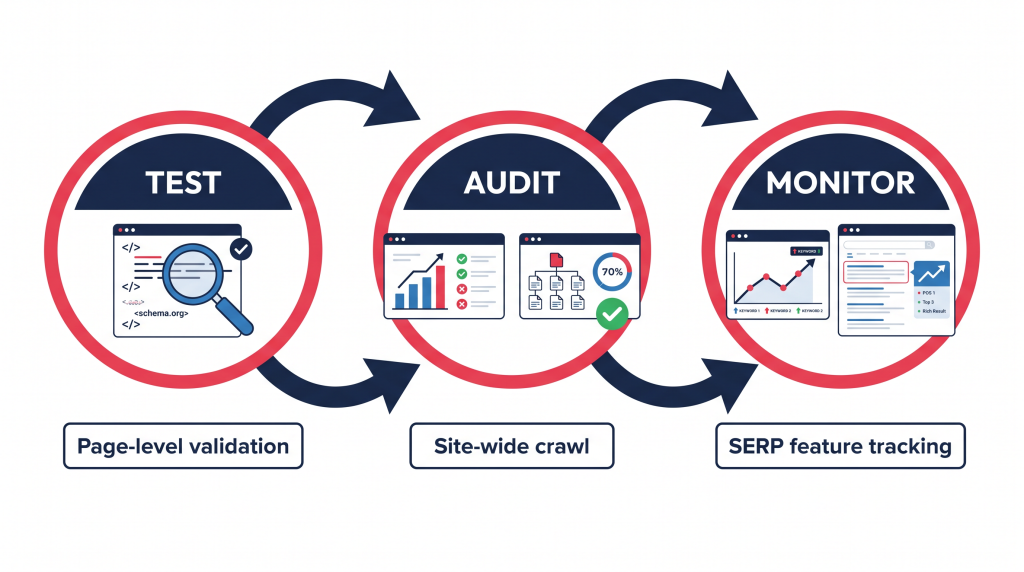
| Test 1 Google Rich Results Test Google Tool (Free) After you publish, head to search.google.com/test/rich-results and enter your URL. Google parses the page and tells you which enhanced result types your schema qualifies for, what errors exist, and what optional fields you skipped. Fix every error. Warnings are optional but worth addressing. If the test says “Page not eligible for rich results,” something is broken. Usually it is a missing required field or a mismatch between schema content and visible page content. Delete the schema type in Rank Math and add it fresh with the correct fields. |
| Test 2 Site-wide schema audit Seobility Woorank Checking one page at a time does not catch site-wide problems. Seobility’s site audit (available on the GroupToolz Pro plan) crawls your entire site and flags pages with missing structured data, broken markup, or duplicate schema types. Woorank gives you a quick single-page audit that includes schema validation in its technical SEO report. The kind of stuff Seobility catches: p roduct pages still running Article schema instead of Product schema, pages with zero structured data because someone forgot during publishing, duplicate schema types on the same page, and markup pointing to images or URLs that return 404. |
| Test 3 Track your rich snippets in search results SEMrush Serpstat After Google recrawls your pages (usually 2-7 days), you want to know whether your enhanced results actually showed up. SEMrush: Use the SERP Features filter in Position Tracking. It shows which of your tracked keywords display SERP features (FAQ, Review, HowTo, Product). Compare that against your schema implementation to check if things are working. Serpstat: Enable SERP feature monitoring on your tracked keywords. Serpstat flags when your domain appears in enhanced results, so you can measure CTR changes over time. Google Search Console: Go to Enhancements. Google reports the status of every detected rich result type on your site: FAQ, HowTo, Product, Breadcrumbs. Each shows valid pages, pages with warnings, and pages with errors. Fix what is flagged here. Errors directly prevent rich snippet display. |
Which schema type goes with which content
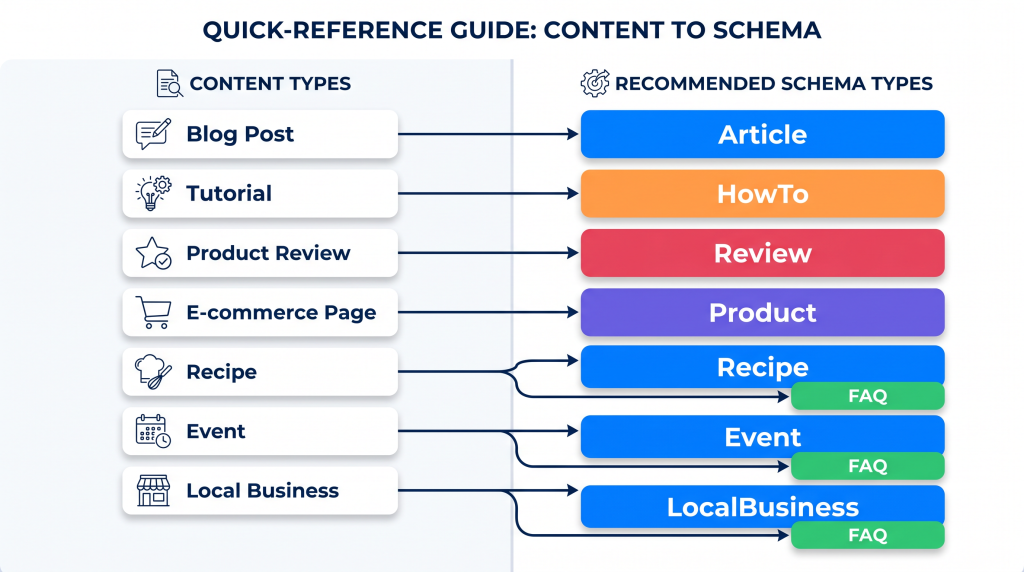
| Content type | Primary schema | Stack this too | What shows in search |
|---|---|---|---|
| Blog post or guide | Article | FAQ (if FAQ section exists) | Author + date + FAQ dropdowns |
| Step-by-step tutorial | Article + HowTo | FAQ | Numbered steps + FAQ dropdowns |
| Product review | Article + Review | FAQ | Star rating + FAQ dropdowns |
| Product page (e-commerce) | Product | Review / AggregateRating | Price + stock + stars |
| Recipe | Recipe | FAQ, Review | Cook time + calories + rating + image |
| Event | Event | FAQ | Date + location + ticket info |
| Local business page | LocalBusiness | FAQ | Address + phone + hours + map |
| Course or webinar | Course | FAQ | Provider + price + description |
| Video content | VideoObject | FAQ | Thumbnail + duration + upload date |
See the pattern? FAQ fits on almost everything. FAQ sections work across content types, and the dropdown result consistently grabs the most attention. I add it to every post that has a question-answer section, period. It takes two minutes in Rank Math and the upside is hard to beat.
Common schema mistakes that kill your rich snippets
Schema content does not match what is on the page. This is the most common one. If your FAQ schema lists questions that are not visible on the page, Google ignores it. The fix is simple: use Rank Math’s FAQ Block, which generates both the visible content and the schema from the same input.
Review schema without reviewing a specific thing. Google requires Review schema to target a specific product, service, book, or named entity. A general opinion piece (“My Thoughts on SEO in 2026”) does not qualify. If you are not reviewing a specific thing with a rating, use Article schema instead.
Adding 5-star reviews to your own product pages. Google’s guidelines prohibit self-reviews. If you sell a product, use Product schema with AggregateRating (pulled from actual customer reviews), not Review schema with your own rating.
Leaving required fields empty. Product schema needs Name, Price, and Currency at minimum. HowTo needs at least one Step. Miss a required field and the entire schema fails quietly. No error message. No enhanced result. Just nothing. This is why you run the Rich Results Test after every publish.
Getting impatient. Schema does not produce enhanced results the same day you publish. Google needs to recrawl the page, process the structured data, and decide to display it. That is usually 2-7 days. Longer for new sites. Do not assume things failed because nothing changed in 24 hours.
Duplicate schema from your theme or other plugins. Some WordPress themes (Astra, Kadence, GeneratePress) output their own structured data. If both Rank Math and your theme generate Article schema, Google gets confused by the duplicates. Turn off schema output in your theme settings and let Rank Math handle it.
The GroupToolz schema toolkit
| Tool | What it does for schema | Plan |
|---|---|---|
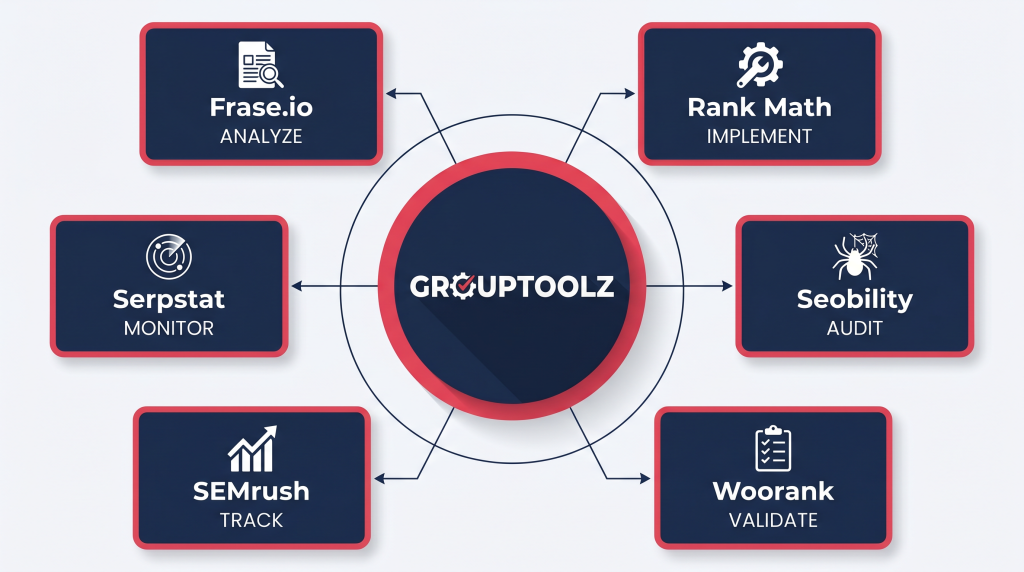
| Rank Math | Handles all schema implementation: Article, FAQ, HowTo, Product, Review, LocalBusiness, Breadcrumb | Free WordPress plugin |
| Seobility | Crawls your whole site to find missing, broken, or duplicate structured data | Pro ₹449 |
| Woorank | Quick page-level audit with schema validation included | Pro ₹449 |
| SEMrush | Tracks which keywords earn SERP features in search | Pro ₹449 |
| Serpstat | Monitors SERP feature appearances and CTR changes over time | Ultimate ₹699 |
| Frase.io | Shows which competitors use schema and what rich snippets they earn | Pro ₹449 |
| NeuronWriter | Scores your content to make sure on-page text supports your schema claims | Pro ₹449 |
| Is the time investment worth it? Adding schema with Rank Math takes 5-10 minutes per post. That is it. And the return is a 30-40% CTR improvement on pages where Google decides to show the enhanced result. Run the math: a page getting 1,000 impressions/month with a 35% CTR bump means roughly 350 extra clicks per month, with no change in ranking position. Multiply that across 50 posts. That is 17,500 extra monthly clicks from work that took a few hours total. GroupToolz Pro at ₹449/month covers the testing and monitoring side. Rank Math is free. |
Add rich snippets. Get more clicks.
SEMrush, Serpstat, Seobility, Woorank, Frase.io, NeuronWriter. Test, audit, and monitor your structured data. Starting at ₹449/month on GroupToolz.
Frequently asked questions
Does schema improve Google rankings?
Not directly. Google has said as much. But enhanced listings increase CTR by 30-40%, and higher CTR is a positive ranking signal. So while schema does not technically boost rankings on its own, the CTR improvement it produces does influence rankings over time. In practice, ignoring structured data in 2026 means leaving clicks on the table.
Which schema type should I add first?
Set Article schema as the default for all posts (one-time setting in Rank Math), then add FAQ schema to every post with a Q&A section. The dropdowns give you the biggest visual presence in search results because your listing expands with dropdown questions, taking up way more space than a standard result.
Can I add multiple schema types to one page?
Yes. Rank Math supports stacking schema types on a single page. Most blog posts should have Article + FAQ. E-commerce pages usually need Product + AggregateRating. Google reads all of them and picks whichever is most relevant to the search query.
What happens if my schema has errors?
Google quietly ignores the bad schema. No penalty, no ranking drop, but no enhanced listing either. Your page still ranks normally based on content quality. The problem is that you will not know something is wrong unless you test. Always run the Google Rich Results Test after publishing, and check Search Console > Enhancements regularly.
How long until enhanced results appear after adding schema?
Usually 2-7 days after Google recrawls the page. You can speed this up by requesting a recrawl in Google Search Console (URL Inspection > Request Indexing). If nothing shows after a week, check Search Console > Enhancements for errors. New sites and low-authority domains may take longer.
Do I need Rank Math Pro or is the free version enough for schema?
The free version handles about 90% of what you need: Article, FAQ, HowTo, Product, Review, LocalBusiness, Breadcrumb schema. Rank Math Pro adds things like schema import from other sites, a custom schema builder, and bulk automation. For most bloggers and small businesses, free Rank Math is plenty.
Related GroupToolz SEO guides
Want more technical SEO guides and WordPress optimization tutorials? Find more at GroupToolz
Comments