
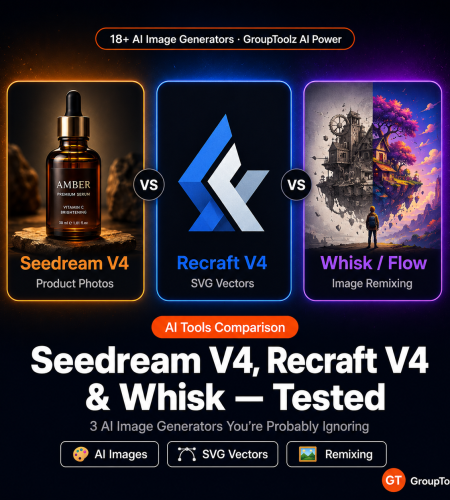
Flux 2 and Nano Banana 2 get all the attention. Fair enough. But Seedream V4, Recraft V4, and Whisk solve problems those flagship models still fumble. We tested all three on GroupToolz, and honestly, each one earned a permanent spot in our workflow.
By GroupToolz Team Updated: May 13, 2026
Whisk AI is now part of Google Flow
Google folded Whisk AI, ImageFX, and Flow into one platform on February 25, 2026. The standalone Whisk experiment shut down April 30, 2026. If you were using Whisk before, the same remixing features now live inside Google Flow. On GroupToolz, the AI Power plan still gives you access to these image remixing tools through the Whisk/Flow integration.
Why nobody talks about these AI image generators
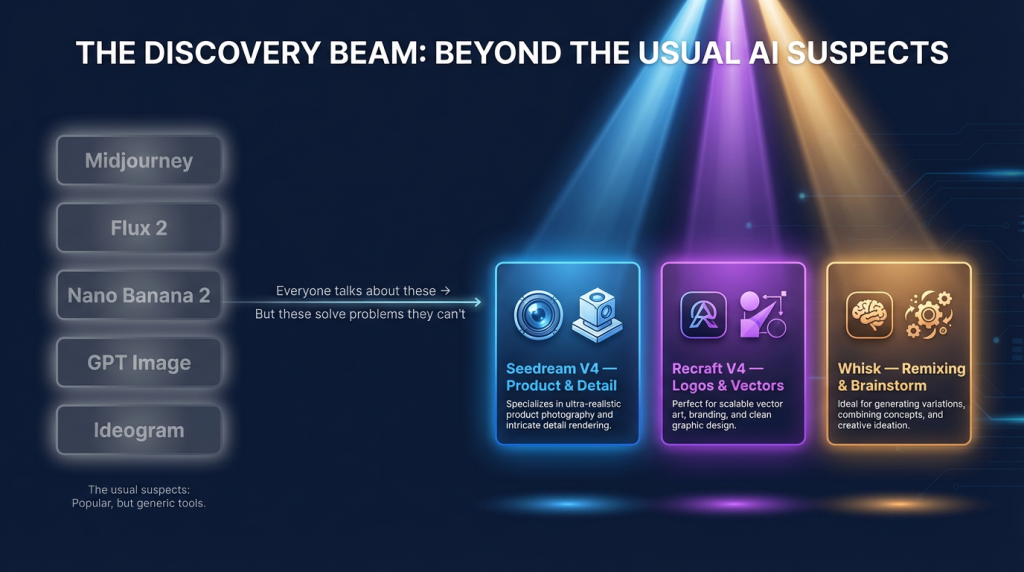
Ask someone to name the top AI image generators in 2026 and you’ll hear the same five names: Midjourney, Flux 2, Nano Banana 2, GPT Image 2, Ideogram. Good tools, all of them. We use them daily.
But here’s the thing. Recraft V4 builds better logos than any of those five. It actually outputs SVG vectors. Seedream V4 handles product photography and text-on-packaging with a precision that Midjourney and Flux still can’t match. And Whisk (now Flow) lets you mash images together without typing a single prompt, which is a workflow none of the text-to-image models offer natively.
These aren’t niche curiosities. They’re genuinely strong AI image generators that happen to get overlooked because most comparison articles skip them. All three are on the GroupToolz AI Power plan at Rs 1,499/month, right alongside the flagships. So instead of forcing one model to do everything, you pick the right one for each job.
Seedream V4 vs Recraft V4 vs Whisk: feature comparison
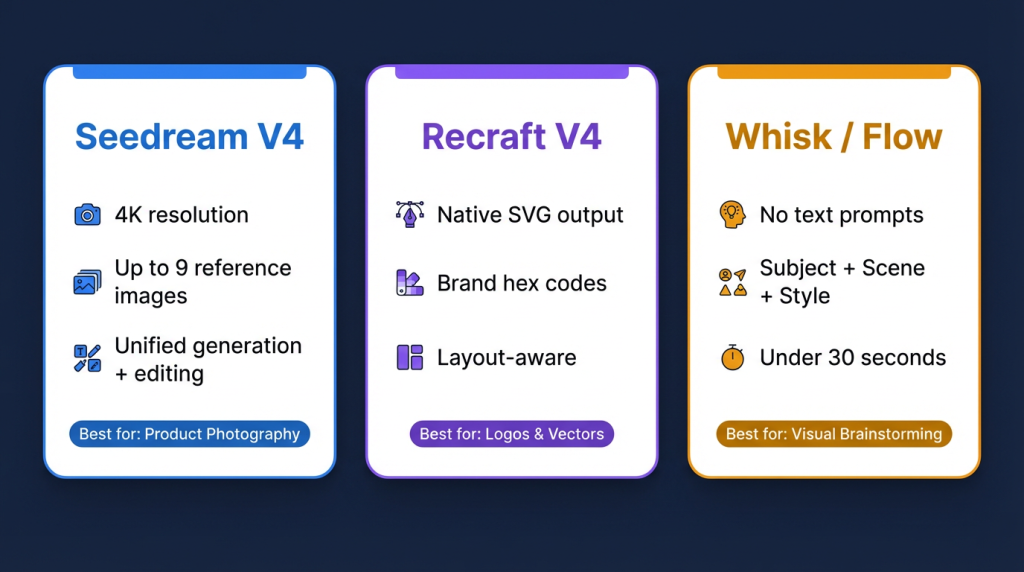
| Feature | Seedream V4 | Recraft V4 | Whisk (now Flow) |
|---|---|---|---|
| Developer | ByteDance | Recraft Inc. | Google Labs |
| What it does best | Colour accuracy, fine detail, realistic textures, built-in editing | Logos, vector assets, icons, layout-aware compositions | Image remixing, style transfer, visual brainstorming |
| Max resolution | 4K | 2K (V4 Pro) | High-res downloads |
| Text rendering | Strong (labels, fine print) | Best for design typography | Depends on Imagen 3 |
| Vector/SVG output | Raster only | Native SVG (best in class) | Raster only |
| Image editing | Unified generation + editing | AI eraser, recolour, vectorise | Remix only, no pixel editing |
| Reference images | Up to 9 at once | Style presets + brand hex codes | Subject + Scene + Style inputs |
| Character consistency | Strong across generations | Design-focused, not characters | Captures feel, not exact copies |
| Logo generation | Okay, nothing special | Best in class | Not built for this |
| Product photography | Excellent (realistic materials) | Design mockup style | Not built for this |
| Speed | ~20 seconds | Fast (real-time in studio) | Under 30 seconds |
| Input method | Text prompt + reference images | Text prompt + style presets | Image drag-and-drop (subject + scene + style) |
| Best for | Product shots, editorial work, scenes with readable text | Logos, icons, posters, brand assets, anything SVG | Brainstorming, merch mockups, style exploration |
| Retail price | ~$0.04/image (API) | ~$20/mo (Recraft Studio) | Free (was Google Labs experiment) |
| GroupToolz plan | AI Power, Rs 1,499/mo | AI Power, Rs 1,499/mo | AI Power, Rs 1,499/mo |
Seedream V4: the one that gets product photos right
Seedream V4 is ByteDance’s flagship image model. Two things it does noticeably better than the competition: text inside images and product photography with real-looking materials. We’re talking skin that actually looks like skin, fabric that has weight, glass that reflects light properly, metal that catches highlights in the right places. Even under tricky lighting setups that confuse other models.
What makes Seedream V4 different technically is that generation and editing happen in the same system. Most image models treat those as separate steps: generate an image, then switch modes to edit it. With Seedream V4 you generate something, then tell it in plain text to swap the background, change a colour, remove an object, or fix the lighting. No need to regenerate the whole thing.
You can feed it up to 9 reference images at once. That matters if you’re trying to keep a character looking the same across multiple images, or if you need consistent product shots with different angles. E-commerce sellers use this instead of hiring a photographer for simple product variants. That’s not an exaggeration. For basic product photography, Seedream V4 is genuinely that good.
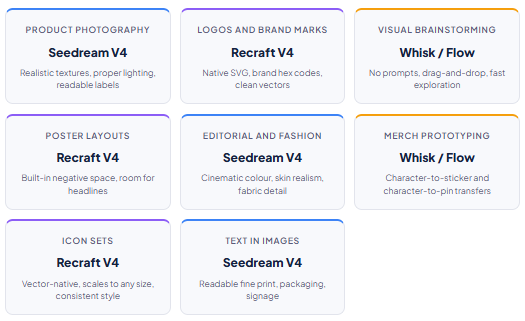
Where Seedream V4 wins: realistic product photography, editorial and fashion images, anything where you need readable text in the image (packaging labels, signs, fine print), complex lighting setups, and keeping characters consistent across a batch of images.
Recraft V4: the tool designers actually want
Recraft V4 isn’t chasing photorealism. It’s chasing usefulness for people who work in Figma and Illustrator all day. And it gets there.
Every image Recraft V4 produces has layout awareness baked in. There’s negative space where you’d want it. The visual hierarchy makes sense. There’s room for headlines. This sounds small until you’ve wasted an hour trying to crop a Midjourney output so you can fit a title over it without covering something important.
The real standout feature is native SVG output. This model actually exports clean, scalable vectors. No other major model does this. Midjourney, Flux 2, GPT Image, Nano Banana 2: all raster. If you want an AI-generated logo you can actually use in production, at any size, without running it through a separate vectoriser, Recraft V4 is your only serious option.
Brand colour control is the other big selling point. You give it hex values, and the model actually respects them. If you work at an agency where brand guidelines are sacred, this is the difference between usable output and output that still needs manual fixing in Photoshop.
The style presets (realistic, digital illustration, vector illustration, and others) aren’t post-processing filters. They change how the model builds the image from scratch, so a “vector illustration” preset genuinely produces a different visual language than a “realistic” preset from the same prompt.
Where Recraft V4 wins: logos and brand marks, icon sets, posters where you need space for text, SVG assets for web or print, campaign work that has to match exact brand colours, and any project where layout matters more than photorealism.
Whisk (now Google Flow): brainstorm without typing
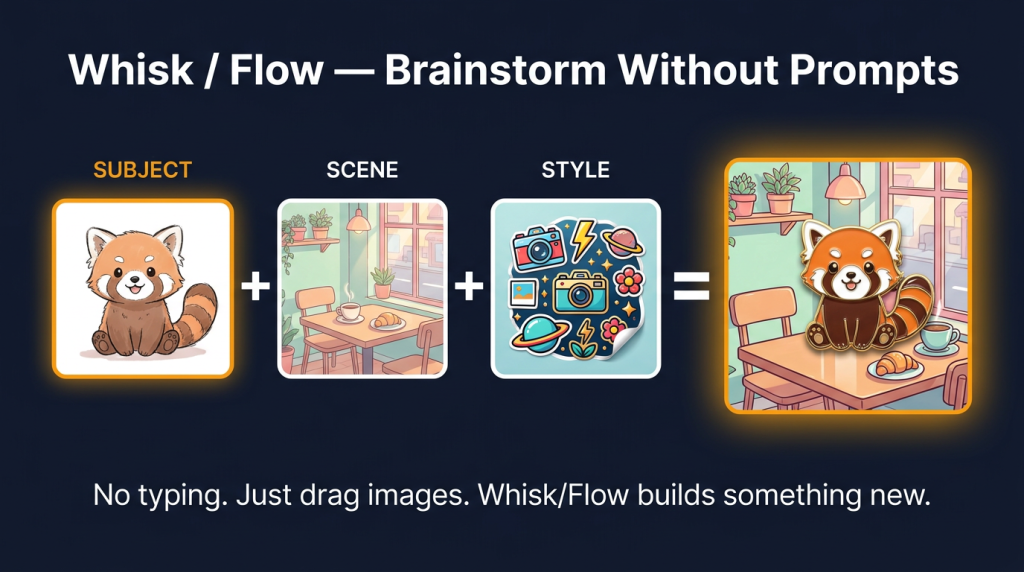
Whisk took a completely different approach. Instead of typing prompts, you drag in three images: a subject, a scene, and a style. Google’s Gemini model writes a detailed description of each one behind the scenes, and then Imagen 3 generates something new from that description.
The standalone Whisk AI experiment officially shut down April 30, 2026. But the same image remixing capabilities moved into Google Flow back in February. The subject + scene + style workflow still works the same way inside Flow.
One thing to know upfront: Whisk doesn’t do precision. It captures the feel of your inputs, not exact copies. Your character reference will come out looking similar overall but with different details. Your style reference will produce a related aesthetic, not a pixel-perfect reproduction. That’s by design, and it’s why Whisk is better for early brainstorming than for final production work.
The use case that really took off was merchandise prototyping. Upload a character sketch plus a “sticker” or “enamel pin” style reference, and Whisk generates what that character would look like as physical merch. Game designers, illustrators, and people selling on Etsy used this constantly to test product ideas before spending money on production.
Where Whisk/Flow wins: brainstorming without having to write prompts, merchandise mockups (stickers, pins, plushies), style transfer between existing images, exploring different aesthetics quickly, and any situation where you think in pictures rather than words.
Quick-pick decision guide
How these fit with Flux 2 and Nano Banana 2
These three tools aren’t replacements for the models everyone already knows. They fill the gaps. Here’s how the full GroupToolz image stack looks when you put everything together.
| Model | Role | When to use it |
|---|---|---|
| Nano Banana 2 | General-purpose flagship (GroupToolz exclusive) | High-quality images, up to 14 reference images for consistency |
| Flux 2 | Character consistency and editing | Same character across multiple images, or prompt-based editing |
| Ideogram AI | Typography-first images | When the text IS the image: posters, thumbnails, memes |
| Seedream V4 | Product and detail work | Product photography, editorial, fashion, readable text in scene |
| Recraft V4 | Design and vector work | Logos, icons, brand assets, layout-first compositions |
| Whisk / Flow | Image remixing | Brainstorming, merch prototyping, style exploration |
| Leonardo AI | Stylised and artistic | Game art, fantasy, illustration-heavy creative work |
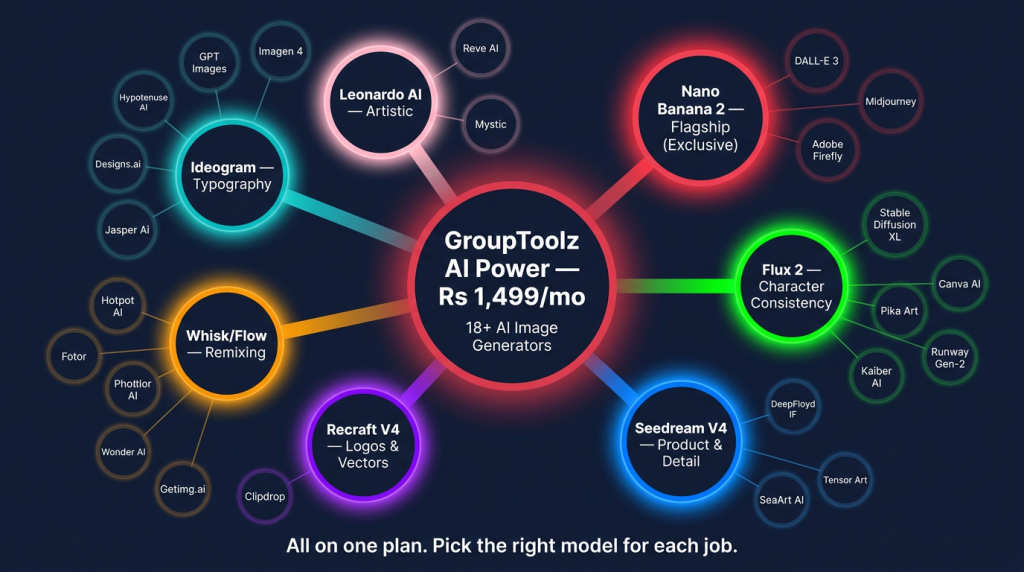
The point of having all seven tools on one GroupToolz plan is that you stop forcing one tool to handle everything. Start a project with Whisk/Flow to brainstorm rough concepts by dragging images around. Move to Seedream V4 when you need product-level detail. Pull Recraft V4 in for brand assets and vectors. Use Nano Banana 2 or Flux 2 for hero images. Finish with Ideogram when the typography needs to be perfect. Seven models, one subscription.
| What’s on the GroupToolz AI Power plan The Rs 1,499/month AI Power plan includes 18+ AI image generators: Nano Banana 2, Flux 2, Ideogram AI, Leonardo AI, Seedream V4, Recraft V4, Whisk/Flow, GPT Images, Imagen 4, Reve AI, Mystic, Z-image-turbo, Artspace AI, Airbrush AI, StockIMG, Sketchgenius, and more. Paying retail for even 5 of these separately would run you over Rs 10,000/month. On GroupToolz, you get all of them, plus the full SEO, video, voice, design, and content toolkit. |
Try the tools nobody’s talking about
Seedream V4 + Recraft V4 + Whisk + Nano Banana 2 + Flux 2 + Ideogram + 12 more. One plan. Rs 1,499/month.
Frequently asked questions
What’s the best AI image generator for logos in 2026?
Recraft V4, and it’s not particularly close. It’s the only major model that outputs native SVG vectors, it lets you lock in brand colours with hex codes, and its compositions actually leave room for the logo to breathe. You can use Recraft V4 on GroupToolz through the AI Power plan at Rs 1,499/month.
Is Seedream V4 better than Flux 2?
They do different things well. Seedream V4 is the better choice for product photography, editorial shots, and any scene where you need readable text (think packaging or signage). Flux 2 is better for character consistency and prompt-driven editing. There’s no universal winner; it depends on the job. Both are on GroupToolz.
Is Google Whisk still available?
The standalone Whisk AI image generator experiment shut down April 30, 2026. Google merged it into Google Flow back in February 2026. The visual remixing workflow (subject + scene + style) works the same way inside Flow. On GroupToolz, you can still access this through the AI Power plan.
Which GroupToolz plan includes Seedream V4 and Recraft V4?
Both AI image generators are on the AI Power plan at Rs 1,499/month. Same plan that includes Nano Banana 2, Flux 2, Ideogram AI, Leonardo AI, Whisk/Flow, and 10+ other image tools, plus the SEO and content toolkit.
How many AI image generators does GroupToolz have?
18+ on the AI Power plan. The full list includes Nano Banana 2 (exclusive to GroupToolz), Flux 2, Seedream V4, Recraft V4, Whisk/Flow, Ideogram AI, Leonardo AI, GPT Images, Imagen 4, Reve AI, Mystic, Z-image-turbo, Artspace AI, Airbrush AI, StockIMG, Sketchgenius, and more. Buying even a handful of these separately would cost more than Rs 10,000/month.
Can I generate SVG vectors with an AI image generator on GroupToolz?
Yes, through Recraft V4. It’s the only major model that produces native SVG output. Every other option (Flux 2, Nano Banana 2, Seedream V4, Midjourney) gives you raster images that need separate vectorisation. Recraft V4 spits out clean, scalable vectors you can drop straight into Figma or Illustrator.
More AI tool guides from GroupToolz
How to Make Instagram Reels With AI Tools: No Camera, No Face, Just GroupToolz
AI Agents Explained: How ChatGPT, Claude, and Perplexity Became Your AI Employees
Veo 3.1 vs Kling 3.0 vs Sora 2: Which AI Video Generator Should You Pick in 2026?
Want more AI image generator comparisons and tool guides? Browse the full GroupToolz blog
Comments