
Technical SEO Audit GroupToolz Method 2026 — The Proven Guide Without Paying ₹10,000/Month
Running a complete technical SEO audit using GroupToolz tools in 2026 costs ₹449–₹699/month — not the ₹10,000–₹20,000/month that enterprise tools like Screaming Frog (paid), DeepCrawl, or Botify charge. SEMrush Site Audit, Seobility, Screpy, Woorank, SEOSiteCheckup, and Moz Pro are all available on GroupToolz and together cover every technical SEO check that matters for Indian blogs, e-commerce stores, and business websites. This guide walks through the complete technical SEO audit GroupToolz workflow step by step so you know exactly which tool to use for which check and what to do with the results.
A technical SEO audit GroupToolz approach is not a compromise. SEMrush’s site audit is used by agencies charging ₹50,000/month to clients. Seobility crawls up to 1,000 pages and produces prioritised fix lists. Screpy monitors your site in real time. Woorank scores every on-page element. Together they cover the full technical SEO audit without any enterprise tool gap worth paying ₹10,000/month to fill.
Technical SEO Audit GroupToolz — Tools You Need
| Tool | Role in Technical SEO Audit | GroupToolz Plan |
|---|---|---|
| SEMrush Site Audit | Full site crawl, errors, warnings, notices | Pro ₹449/mo |
| Seobility | On-page issues, crawl depth, broken links | Pro ₹449/mo |
| Screpy | Real-time monitoring, Core Web Vitals tracking | Pro ₹449/mo |
| Woorank | Page-level on-page score, meta and heading checks | Ultimate ₹699/mo |
| SEOSiteCheckup | Quick health score, mobile and speed checks | Ultimate ₹699/mo |
| Moz Pro | Domain authority, crawl diagnostics | Pro ₹449/mo |
| SEOTester Online | Structured data and schema validation | Ultimate ₹699/mo |
| Serpstat | Site audit and competitor technical benchmarking | Ultimate ₹699/mo |
The core technical SEO audit GroupToolz stack — SEMrush, Seobility, and Screpy — is available on the Pro plan at ₹449/month and covers 90% of what any Indian website needs. The Ultimate plan at ₹699/month adds Woorank, SEOSiteCheckup, and SEOTester Online for deeper page-level and schema validation checks.
Why Technical SEO Matters Before Content or Links
Most Indian bloggers and SEO professionals invest heavily in content creation and link building before fixing technical SEO issues — and then wonder why rankings don’t improve despite good content and quality backlinks. A technical SEO audit GroupToolz workflow answers this question before it becomes a 6-month mystery.
Technical SEO issues that suppress rankings are invisible to the reader but visible to Google’s crawlers. A page loading in 8 seconds on mobile loses ranking positions regardless of how well-written its content is. A canonical tag pointing to the wrong URL means Google is crediting a different page with your content’s authority. Duplicate meta descriptions across 50 product pages dilute the relevance signal for every page on the site. None of these issues are visible when you read the page — but a technical SEO audit GroupToolz analysis surfaces all of them in a single session.
Step 1 — Run the SEMrush Site Audit
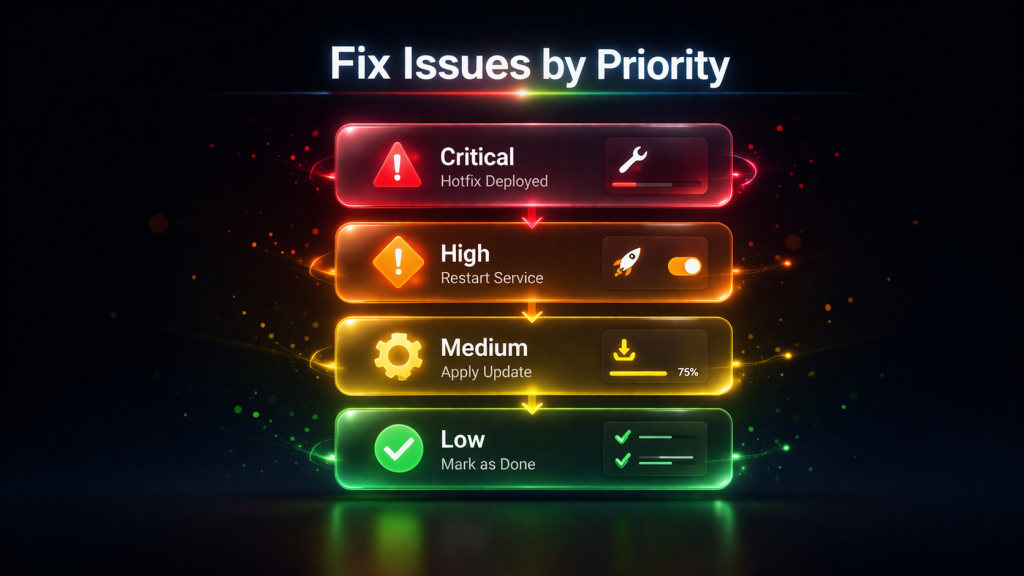
The SEMrush Site Audit is the starting point for any technical SEO audit GroupToolz workflow. It crawls your entire site and categorises every issue it finds into Errors (critical), Warnings (moderate), and Notices (low priority). Working through these three categories in order produces the most impactful fixes first without wasting time on low-priority issues before critical ones are resolved.
Setting Up the SEMrush Site Audit
Open SEMrush and navigate to Site Audit under the Projects section. Create a new project for your domain. Set the crawl scope to your entire domain, configure the crawl speed to avoid overloading shared hosting (2–3 pages per second is appropriate for most Indian hosting setups), and run the audit. For sites under 500 pages the audit completes in 5–10 minutes. For larger sites allow 20–30 minutes.
The technical SEO audit GroupToolz SEMrush result gives you an overall Site Health Score from 0–100. Record this score as your baseline — you’ll track improvement against this number after implementing fixes. A score below 70 indicates significant technical issues. A score above 85 indicates a technically healthy site where content and links are the primary ranking levers.
Errors — Fix These First
Errors in SEMrush Site Audit are issues that directly harm crawlability and indexing. In the technical SEO audit GroupToolz workflow, errors take absolute priority. The most common and impactful errors found on Indian websites:
- Pages returning 4xx or 5xx status codes — Broken pages that Google cannot crawl. Fix by restoring the page, setting up a 301 redirect to the correct URL, or updating internal links pointing to the broken page.
- Broken internal links — Links within your site pointing to non-existent pages. Each broken internal link wastes crawl budget and creates a dead end for link equity flow. Export the full list and fix or redirect each URL.
- Pages blocked by robots.txt — Important pages accidentally blocked from Google’s crawler. Check that your robots.txt file only blocks pages that should genuinely be hidden from search — admin pages, checkout pages, duplicate parameter URLs.
- Missing HTTPS — Pages still serving over HTTP rather than HTTPS. Google treats HTTP pages as less secure and may suppress them in results. Ensure your SSL certificate is valid and all pages redirect HTTP to HTTPS.
- Duplicate content without canonical tags — Multiple URLs serving the same or very similar content without a canonical tag specifying the preferred version. This splits ranking signals across multiple pages instead of concentrating them on one.
Warnings — Fix These Second
Warnings in the technical SEO audit GroupToolz SEMrush report are issues that reduce performance but don’t completely block crawling. The highest-priority warnings for Indian sites:
- Missing or duplicate meta descriptions — Each page needs a unique, keyword-rich meta description under 160 characters. Duplicate meta descriptions across product pages or category pages are extremely common on Indian e-commerce sites built on WooCommerce.
- Missing alt text on images — Image alt text is both an accessibility requirement and an SEO signal. Missing alt text on images that should be descriptive leaves keyword signal on the table. Use ChatGPT Plus (available on GroupToolz Pro) to bulk-generate alt text descriptions for image batches.
- Slow page speed (Core Web Vitals failures) — Pages failing Largest Contentful Paint (LCP), Cumulative Layout Shift (CLS), or Interaction to Next Paint (INP) thresholds are penalised in Google’s ranking algorithm. These require hosting, image optimisation, and code improvements that go beyond an SEO audit but the technical SEO audit GroupToolz SEMrush report identifies which specific pages are failing.
- Long title tags — Title tags over 60 characters get truncated in search results and may lose ranking signals. SEMrush lists every over-length title so you can shorten them systematically.
Step 2 — Run a Seobility Full Site Crawl
Seobility is the second technical SEO audit GroupToolz tool to run — after SEMrush. Where SEMrush’s site audit is comprehensive but can be overwhelming for beginners, Seobility presents its findings in a more visually intuitive format with a clear overall site score and colour-coded issue severity that Indian SEO beginners find easier to act on.
What Seobility Checks in the Technical SEO Audit
Add your domain to Seobility and run a full crawl. The Seobility report covers six categories that together form a complete technical SEO audit GroupToolz checklist:
- Meta Information: Missing, duplicate, or over-length title tags and meta descriptions across all crawled pages. Seobility shows the exact pages with issues and the current meta content so you can fix them without visiting each page individually.
- Page Quality: Thin content pages (under 300 words), pages with high keyword density that may trigger over-optimisation signals, and content with excessive internal links that reduce the value of each individual link.
- Page Structure: Missing H1 tags, multiple H1 tags on the same page, heading hierarchy issues (H3 before H2), and pages without any heading structure at all. Google uses heading structure to understand page hierarchy.
- Link Structure: Broken links, redirect chains, orphan pages (pages with no internal links pointing to them from other pages on your site), and pages buried too deep in the site architecture (more than 3 clicks from the homepage).
- Server: Server response time, HTTP/HTTPS issues, and redirect configuration problems. The technical SEO audit GroupToolz Seobility server check often catches redirect chains that SEMrush misses — links that redirect through 2–3 intermediate URLs before reaching the final destination, losing link equity at each step.
- External Factors: Backlink profile overview and domain authority indicators that contextualise the technical issues within the broader competitive landscape.
Seobility vs SEMrush — Why You Need Both in the Technical SEO Audit
Running both Seobility and SEMrush in the technical SEO audit GroupToolz workflow is not redundant — each tool catches issues the other misses. SEMrush has a larger crawl database and more sophisticated JavaScript rendering. Seobility has clearer issue prioritisation and better crawl depth analysis. Cross-referencing both reports in the technical SEO audit GroupToolz process produces a more complete issue list than either tool alone.
In practice: fix SEMrush Errors first, then Seobility’s highest-severity issues, then work through SEMrush Warnings and Seobility medium issues simultaneously. This sequence ensures nothing critical is missed regardless of which tool identified it.
Step 3 — Set Up Screpy for Ongoing Technical Monitoring
Screpy transforms the technical SEO audit GroupToolz workflow from a one-time event into a continuous monitoring system. While SEMrush and Seobility are run periodically (monthly or quarterly), Screpy watches your site in real time and alerts you when new technical issues appear between audits.
What Screpy Monitors
- Uptime monitoring — Screpy pings your site regularly and alerts you if it goes down. For Indian WordPress sites on shared hosting, unexpected downtime is common and Screpy catches it before users report it.
- Core Web Vitals tracking — LCP, CLS, and INP scores are tracked over time so you can see whether performance improvements from hosting upgrades or image optimisation are actually working.
- Page speed scores — Both mobile and desktop PageSpeed Insights scores tracked over time. A sudden drop in page speed score after a plugin update or theme change is caught by Screpy within hours rather than discovered weeks later through declining rankings.
- New technical issues — When new pages with missing meta descriptions, broken links, or other technical issues appear after publishing, Screpy flags them for the next monitoring cycle.
The technical SEO audit GroupToolz approach with Screpy as the ongoing monitoring layer means you run the full SEMrush and Seobility audit quarterly but Screpy fills the gap between audits — catching regressions before they compound into ranking drops.
Step 4 — Run a Page-Level Check With Woorank
Woorank adds page-level depth to the technical SEO audit GroupToolz workflow that site-wide crawl tools like SEMrush and Seobility don’t provide. Where crawl tools audit patterns across your entire site, Woorank analyses each URL individually and produces a detailed score for that specific page’s technical and on-page optimisation.
How to Use Woorank in the Technical SEO Audit
In the technical SEO audit GroupToolz workflow, use Woorank on your highest-priority pages rather than every page on the site. Run it on:
- Your homepage
- Your top 5 organic traffic pages (from Google Search Console)
- Pages ranking in positions 8–15 for high-value keywords — these are the pages closest to page 1 where technical improvements can push rankings over the line
- Any page that recently dropped in rankings with no obvious content reason
Woorank’s page analysis checks title tag, meta description, H1, keyword usage, image alt text, page speed, mobile friendliness, structured data, social tags (Open Graph and Twitter Card), and security (HTTPS). The overall page score from 0–100 gives a quick indication of how well-optimised a specific page is, with each sub-check explained clearly enough for beginners to understand what needs fixing.
Step 5 — Validate Schema and Structured Data With SEOTester Online
Schema markup is one of the most underused technical SEO elements on Indian websites in 2026. Proper structured data enables rich results in Google — star ratings, FAQ dropdowns, breadcrumb trails, and article dates that increase click-through rates significantly. The technical SEO audit GroupToolz workflow should include a schema validation check using SEOTester Online for any site that has added or should add structured data.
What Schema to Implement for Indian Sites
- Article schema — For every blog post and article page. Tells Google the headline, author, published date, and modified date — information that appears in Google News and article-type rich results.
- FAQPage schema — For pages with FAQ sections. Enables FAQ dropdown rich results in Google that expand your search result to 3–4x its normal size, dramatically increasing click-through rate without requiring a ranking improvement.
- BreadcrumbList schema — For sites with category hierarchies. Displays your site’s navigation path in search results (Home › Category › Post Name) which improves result readability and click-through rates.
- Product schema — For e-commerce and review pages. Enables star ratings, price, and availability information to display in Google Shopping and organic search results.
- LocalBusiness schema — For Indian businesses with physical locations. Connects your website to your Google Business Profile and improves local search visibility.
SEOTester Online validates your existing schema markup and identifies errors. For WordPress sites, the Rank Math plugin (used for blog.grouptoolz.com itself) generates most schema types automatically — SEOTester Online confirms the generated markup is valid before you invest time troubleshooting why rich results aren’t appearing.
Step 6 — Quick Health Check With SEOSiteCheckup
SEOSiteCheckup provides a rapid technical SEO audit GroupToolz health check that produces an overall score and categorised issue list in under 2 minutes. It is the fastest entry point in the technical SEO audit GroupToolz toolkit — useful as a quick pulse check between full SEMrush and Seobility audits, and as a sanity check after implementing technical fixes to confirm they’ve resolved correctly.
What SEOSiteCheckup Covers
- Meta tag health across key pages
- Mobile responsiveness confirmation
- Page speed summary
- HTTPS security check
- XML sitemap presence and validity
- Robots.txt validity
- Broken link count
- Social tag presence (Open Graph, Twitter Card)
In the technical SEO audit GroupToolz workflow, SEOSiteCheckup serves as the verification layer after fixes are implemented. Run it after completing fixes from your SEMrush and Seobility audits to confirm the overall site health score has improved before the next full audit cycle.
Step 7 — Crawl Diagnostics and Domain Authority With Moz Pro
Moz Pro adds two specific dimensions to the technical SEO audit GroupToolz workflow that the other tools don’t cover as clearly: Domain Authority benchmarking and crawl diagnostics that identify how Google perceives your site’s overall authority relative to competitors.
Moz Pro Site Crawl
Moz Pro’s Site Crawl runs a crawler similar to SEMrush and Seobility but with particular strength in identifying redirect issues and URL parameter problems. In the technical SEO audit GroupToolz workflow, Moz Pro’s redirect chain finder is especially useful for Indian e-commerce sites built on WooCommerce where product URL changes during site migrations or category restructuring create multi-hop redirect chains that each lose a percentage of link equity.
Domain Authority in Context
Moz Pro’s Domain Authority (DA) metric gives you a benchmarking score for your domain that you can compare against competitors in your niche. In the technical SEO audit GroupToolz workflow, record your DA alongside your SEMrush site health score at the start of every audit. Improving technical SEO health consistently leads to DA improvements over time as Google crawls and indexes more of your site — the DA trend over 6–12 months is one of the clearest indicators that your technical SEO audit GroupToolz fixes are producing compound improvements.
Technical SEO Audit GroupToolz — Complete Checklist
- ☑ Google Search Console set up and verified — no manual action notices
- ☑ XML sitemap submitted to Google Search Console
- ☑ Robots.txt reviewed — no important pages blocked
- ☑ HTTPS active — all pages redirect HTTP to HTTPS
- ☑ SEMrush Site Audit run — Errors fixed, Warnings prioritised
- ☑ SEMrush Site Health Score recorded as baseline
- ☑ Broken internal links fixed or redirected
- ☑ Duplicate content issues resolved with canonical tags
- ☑ Seobility crawl run — heading structure and crawl depth issues reviewed
- ☑ Orphan pages identified — internal links added to connect them
- ☑ Redirect chains resolved to single-hop 301 redirects
- ☑ Screpy monitoring set up — uptime and Core Web Vitals tracking active
- ☑ Core Web Vitals checked — LCP, CLS, INP scores above Google’s threshold
- ☑ Mobile responsiveness confirmed on Google’s Mobile-Friendly Test
- ☑ Page speed above 70 on mobile in Google PageSpeed Insights
- ☑ Woorank page-level audit run on top 5 pages
- ☑ All images have descriptive alt text
- ☑ Title tags under 60 characters — each unique across site
- ☑ Meta descriptions under 160 characters — each unique across site
- ☑ H1 present on every page — only one H1 per page
- ☑ Schema markup validated in SEOTester Online
- ☑ FAQ schema implemented on comparison and informational pages
- ☑ Article schema implemented on all blog posts
- ☑ Open Graph and Twitter Card meta tags present on all pages
- ☑ SEOSiteCheckup health score verified after fixes
- ☑ Moz Pro DA recorded — compared against top 5 competitors in niche
Technical SEO Audit GroupToolz — Common Issues on Indian Websites
Slow Mobile Page Speed on Shared Hosting
The most common issue surfaced by the technical SEO audit GroupToolz workflow on Indian websites is poor mobile page speed caused by oversold shared hosting. Most Indian WordPress sites are hosted on HostGator, Bluehost India, or local shared hosting providers where server response times regularly exceed 600ms — well above the 200ms threshold Google recommends. Screpy’s real-time monitoring in the technical SEO audit GroupToolz stack makes this problem immediately visible rather than slowly discovered through declining rankings.
The fix options in order of cost and impact: enable a caching plugin (WP Rocket or LiteSpeed Cache), compress and serve images in WebP format, switch to a CDN like Cloudflare on the free plan, or migrate to a better hosting provider (Cloudways on DigitalOcean is the most recommended upgrade for serious Indian WordPress sites).
Thousands of Thin Content Pages on WooCommerce Sites
Indian e-commerce sites built on WooCommerce commonly generate hundreds or thousands of near-duplicate pages through product attribute combinations, tag pages, and pagination. The SEMrush Site Audit in the technical SEO audit GroupToolz workflow identifies these as thin content warnings. The fix is to noindex tag archives, product attribute pages, and pagination pages that add no unique content value — keeping Google’s crawl budget focused on the pages that actually deserve to rank.
Missing or Misconfigured Canonical Tags
Canonical tag misconfiguration is discovered by almost every technical SEO audit GroupToolz SEMrush check on Indian sites that have undergone URL restructuring or migration. Common scenarios: the canonical tag points to the HTTP version of the page when the site serves HTTPS, the canonical tag points to a paginated version (/page/2/) instead of the root page, or the canonical tag was set during a migration and never updated. Each scenario splits Google’s authority signals across multiple URLs instead of concentrating them on the correct one.
No Schema Markup on High-Potential Pages
The SEOTester Online check in the technical SEO audit GroupToolz workflow consistently finds Indian sites with zero schema markup despite significant content libraries. FAQ schema on comparison posts, Article schema on blog posts, and BreadcrumbList schema on category pages are the three highest-impact schema implementations for most Indian content sites — and all three can be implemented in under an hour using Rank Math Pro’s schema module.
Orphan Pages With No Internal Links
Seobility’s crawl in the technical SEO audit GroupToolz workflow regularly identifies pages on Indian sites that are indexed by Google but have no internal links pointing to them from other pages on the site. These orphan pages receive no link equity from the rest of the site and get crawled less frequently than linked pages. Fixing orphan pages requires adding contextually relevant internal links from related posts and category pages — a task that takes 1–2 hours but can meaningfully improve rankings for the affected pages within 4–8 weeks.
Technical SEO Audit GroupToolz — Monthly vs Quarterly Schedule
| Frequency | Tasks | Tools | Time Required |
|---|---|---|---|
| Weekly | Google Search Console coverage report check, Screpy alerts review | Screpy + GSC | 15 minutes |
| Monthly | SEOSiteCheckup health score, Core Web Vitals check, new broken links | SEOSiteCheckup + Screpy | 45 minutes |
| Quarterly | Full SEMrush Site Audit, Seobility crawl, Woorank page checks, schema validation | SEMrush + Seobility + Woorank + SEOTester Online | 3–4 hours |
| Annually | Complete technical SEO audit GroupToolz — all 7 steps above + competitor benchmarking | All tools | Full day |
| After major changes | Post-migration audit, post-theme change audit, post-plugin update check | SEMrush + Screpy + SEOSiteCheckup | 2 hours |
Technical SEO Audit GroupToolz — Cost vs Enterprise Tools
| Tool | Retail Price/Month | INR Equivalent | GroupToolz Access |
|---|---|---|---|
| SEMrush Pro | $139.95 | ~₹11,650 | ✅ Pro ₹449 |
| Moz Pro | $99 | ~₹8,244 | ✅ Pro ₹449 |
| Seobility Premium | $50 | ~₹4,165 | ✅ Pro ₹449 |
| Screpy Pro | $14 | ~₹1,165 | ✅ Pro ₹449 |
| Woorank Pro | $89.99 | ~₹7,495 | ✅ Ultimate ₹699 |
| SEOSiteCheckup | $24.95 | ~₹2,079 | ✅ Ultimate ₹699 |
| SEOTester Online | $19 | ~₹1,582 | ✅ Ultimate ₹699 |
| Serpstat | $69 | ~₹5,747 | ✅ Ultimate ₹699 |
| Full Stack Retail Total | $505.89/mo | ~₹42,127/mo | GroupToolz ₹449–₹699 |
The complete technical SEO audit GroupToolz stack costs ₹42,127/month at retail. GroupToolz Pro at ₹449/month covers SEMrush, Moz Pro, Seobility, and Screpy — the four tools that handle 90% of the technical SEO audit GroupToolz workflow. GroupToolz Ultimate at ₹699/month adds Woorank, SEOSiteCheckup, and SEOTester Online for complete coverage. The annual saving for an Indian SEO professional running the full technical SEO audit GroupToolz stack is over ₹4.9 lakh.
Final Verdict — Technical SEO Audit GroupToolz 2026
The technical SEO audit GroupToolz method covers every check that matters for Indian websites in 2026 — crawl errors, broken links, page speed, Core Web Vitals, duplicate content, canonical tags, schema markup, mobile responsiveness, and ongoing monitoring — at ₹449–₹699/month instead of ₹10,000–₹42,000/month for enterprise alternatives.
SEMrush Site Audit identifies and prioritises every critical and warning-level technical issue. Seobility provides intuitive crawl depth and heading structure analysis. Screpy monitors performance continuously between audits. Woorank and SEOSiteCheckup add page-level and quick-health verification. SEOTester Online validates schema markup. Moz Pro benchmarks domain authority against competitors. The technical SEO audit GroupToolz stack is a complete, professional-grade workflow available to any Indian SEO professional who can afford ₹449/month — which is everyone.
Frequently Asked Questions — Technical SEO Audit GroupToolz
What tools do I need for a technical SEO audit on GroupToolz?
The core technical SEO audit GroupToolz stack is SEMrush Site Audit, Seobility, and Screpy — all available on GroupToolz Pro at ₹449/month. For deeper page-level checks, add Woorank and SEOSiteCheckup on GroupToolz Ultimate at ₹699/month. For schema validation add SEOTester Online on the same Ultimate plan. This covers the complete technical SEO audit GroupToolz workflow at ₹449–₹699/month total.
How often should I run a technical SEO audit?
Run a full technical SEO audit GroupToolz cycle quarterly — covering all 7 steps in this guide. Monthly, run a lighter check with SEOSiteCheckup and review Screpy’s monitoring alerts. Weekly, check Google Search Console for new crawl errors and coverage issues. After any significant site change — theme update, plugin installation, URL restructuring — run an emergency SEMrush audit immediately to catch regressions before they affect rankings.
What is the most important technical SEO issue to fix first?
In the technical SEO audit GroupToolz priority sequence, fix in this order: pages blocked by robots.txt that should be indexed, broken internal links, HTTPS configuration issues, then duplicate content without canonical tags. These four categories directly prevent Google from crawling and indexing your content correctly. Page speed and schema improvements have significant impact but should come after crawlability is confirmed clean.
Can the GroupToolz technical SEO tools replace Screaming Frog?
For most Indian websites under 10,000 pages, yes. SEMrush Site Audit and Seobility together cover the core site crawl functions that Screaming Frog (paid at $259/year) provides. The technical SEO audit GroupToolz tools are cloud-based — no software installation required — and produce comparable issue lists for standard WordPress, WooCommerce, and static sites. Screaming Frog has advantages for very large enterprise crawls with complex JavaScript rendering requirements that most Indian sites don’t need.
Is Seobility or SEMrush better for a technical SEO audit?
Both serve different strengths in the technical SEO audit GroupToolz workflow. SEMrush has a larger crawl database, better JavaScript rendering, and more sophisticated error categorisation. Seobility has clearer issue presentation, better crawl depth visualisation, and a more beginner-friendly interface. Running both produces more complete results than either alone — the technical SEO audit GroupToolz approach always uses both in sequence rather than choosing between them.
How do I track technical SEO improvement over time?
Record four metrics at each technical SEO audit GroupToolz session: SEMrush Site Health Score, Moz Pro Domain Authority, Google PageSpeed Insights mobile score, and Screpy’s Core Web Vitals scores. Tracking these quarterly shows compound improvement from ongoing technical fixes. A site improving from SEMrush health score 62 to 84 over 6 months of consistent technical SEO audit GroupToolz fixes typically sees 20–40% organic traffic improvement over the same period as Google crawls and indexes the improved site more completely.
Looking for more SEO tutorials and technical guides? Find more such blogs at GroupToolz →
Comments